Tvorba aplikácie pre zamestnancov: čo musí naozaj vedieť každý malý podnik
Aplikácia pre zamestnancov znie ako niečo, čo si stavajú len veľké firmy. Nie je to tak. Toto je jednoduchý, praktický návod, ako sa rozhodnúť, či ju váš tím potrebuje, čo má robiť a ako spustiť užitočnú verziu bez zbytočného preplácania.
 Have a nice day13 min čítania
Spojenie „aplikácia pre zamestnancov” vyvolá u väčšiny majiteľov malých firiem predstavu niečoho, čo si nemôžu dovoliť — uhladenej internej platformy s vývojárskym tímom za chrbtom, takej, akú korporácia s 5 000 ľuďmi spúšťa so slávnostným uvedením. Tak sa otázku ani nepýtajú. Ich skutočný tím medzitým funguje na WhatsAppovej skupine, papierovom rozpise prilepenom na chladničke a troch rôznych ľuďoch, ktorým treba všetkým zavolať, kým sa niekto dozvie, kto pracuje v sobotu.
Videl som to v desiatkach malých firiem. Majiteľ nemá v hlave problém so softvérom — má problém s koordináciou. Kde je rozpis. Kto si vymenil tú zmenu. Dostal nový zamestnanec vôbec bezpečnostné poučenie. Kde je fotka dokončenej práce. Informácie existujú, ale sú rozsypané po telefónoch a v pamäti ľudí, a majiteľ je to ľudské lepidlo, ktoré všetko drží pokope. To lepidlo je drahé, krehké a neškáluje nad pätnásť ľudí, kým niečo nezačne vypadávať.
Aplikácia pre zamestnancov je len nástroj, ktorý to všetko dáva na jedno miesto, kam váš tím naozaj dosiahne — zvyčajne do telefónu, ktorý už nosí. Tento návod je o tom, ako sa rozhodnúť, či ju potrebujete, čo má a čo nemá robiť, koľko naozaj stojí a ako spustiť skutočne užitočnú verziu bez toho, aby sa z toho stal polročný projekt, ktorý nikdy nevyjde.
Čo aplikácia pre zamestnancov naozaj je (a čo nie je)
Zoberme tento pojem na kosť. Aplikácia pre zamestnancov je malý kus softvéru, ktorý si váš personál otvorí v telefóne, aby spravil tých pár vecí, ktoré udržia pracovný deň v chode: pozrie si rozpis, napíše tímu, nájde dokument, zapichne príchod, nahlási problém, dostane oznam. To je všetko. Nie je to HR systém, nie je to platforma na riadenie projektov a vôbec nemusí robiť všetko to, čo robia tieto veci.
Dôvod, prečo ten pojem ľudí desí, je v tom, že si požičiava obraz od podnikového softvéru — nafúknutých intranetových portálov, do ktorých sa nikto neprihlasuje. No verzia, ktorú potrebuje firma s 20 ľuďmi, má bližšie k veľmi sústredenej aplikácii, ktorá tri či štyri veci robí výborne. Celá hodnota je v tom, že ju váš tím naozaj bude používať, a používať ju bude len vtedy, ak je rýchlejšia než ten chaotický obchvat, ktorý nahrádza. Jednoduchá aplikácia, ktorú ľudia otvárajú každý deň, poráža mocnú, ktorá sedí nepoužitá na úvodnej obrazovke.
Znaky, že ju naozaj potrebujete
Nie každá malá firma potrebuje aplikáciu pre zamestnancov, a radšej vám to poviem vopred, než vám ju predám. Ak vám celý tím sedí v jednej miestnosti a zdieľa kalendár, pravdepodobne ju nepotrebujete. Potreba sa objaví, keď sú ľudia rozptýlení, na zmenách alebo mimo stola — a informácia musí cestovať, aby sa k nim dostala.
Najjasnejší signál je, že ste sa vy, majiteľ, stali telefónnou ústredňou. Ľudia volajú alebo píšu vám, aby sa dozvedeli veci, ktoré by si mali vedieť dohľadať sami: kedy pracujú, či je práca potvrdená, kde je formulár. Každé takéto vyrušenie je malá daň z vášho dňa a s rastom sa to zhoršuje. Tu sú vzorce, ktoré mi hovoria, že aplikácia by sa naozaj zaplatila:
- Váš rozpis žije v tabuľke, na výtlačku alebo v niekoho hlave — a zmeny sa šíria telefonátom.
- Dôležité správy sa stratia vo WhatsAppovej skupine plnej memov a odpovedí „ok”.
- Novým ľuďom trvá týždne, kým zistia, kde čo je, lebo znalosť je v ľuďoch, nie na jednom mieste.
- Pracovníci v teréne nanovo prepisujú údaje o práci, hodiny alebo fotky, keď sa vrátia do kancelárie.
- Neviete ľahko dokázať, kto sa čo dozvedel — pre bezpečnosť, súlad s predpismi alebo len na urovnanie sporu.
- Výmeny zmien a žiadosti o voľno sa dejú správou a zabudnú sa, kým nespôsobia dieru.
“Ak vám tím volá, aby zistil, kedy pracuje, nemáte problém s komunikáciou — máte vo firme dieru v tvare aplikácie.”

Funkcie, ktoré sú dôležité — a tie, ktoré nie sú
Len čo sa ľudia rozhodnú stavať, inštinkt im velí vymenovať každú funkciu, akú si vedia predstaviť. Vzoprite sa tomu. Funkcie, ktoré sa v malej firme oplatia, sú krátky, neokázalý zoznam, a rozdiel medzi používanou a opustenou aplikáciou je takmer celý o tom, či ten krátky zoznam trafíte správne, nie o tom, či ten dlhý urobíte pôsobivým.
Základné štyri
Väčšina úspešných aplikácií pre zamestnancov v malých firmách sa stavia okolo tých istých pár úloh. Ak ich zvládnete, pokryli ste osemdesiat percent hodnoty. Plánovanie: každý vidí svoje zmeny a zmeny v nich, v telefóne, bez pýtania. Komunikácia: jasný kanál na pracovné správy a oznamy, oddelený od spoločenského chatu, aby sa nič dôležité neutopilo. Jediný zdroj dokumentov: zmluvy, príručky, cenníky, bezpečnostné listy — jedno miesto, vždy aktuálne. A jednoduchý zber údajov: zapichnutie príchodu, výkaz práce, fotka, kontrolný zoznam vyplnený na mieste namiesto neskoršieho prepisovania.
Lákavé doplnky
Potom je tu dlhý chvost: žiadosti o voľno, výmeny zmien, podávanie nákladov, školiace moduly, interný adresár, prieskumy, odznaky uznania. Nič z toho nie je zlé. Lenže každé je niečo, čo treba postaviť, udržiavať a vysvetliť — a väčšina dáva zmysel až vtedy, keď základné štyri bežia ako hodinky a váš tím aplikácii dôveruje. Pridajte ich, keď si ich vyžiada skutočná, opakujúca sa bolesť, nie preto, že zoznam funkcií vyzeral chudobne.
| Funkcia | Denná hodnota | Náročnosť tvorby | Stavať ako prvé? |
|---|---|---|---|
| Rozpis / zmeny | Vysoká | Stredná | Áno — chrbtica |
| Tímové správy a oznamy | Vysoká | Nízka–stredná | Áno |
| Centrum dokumentov a smerníc | Stredná | Nízka | Áno |
| Zber údajov v teréne (príchod, výkazy, fotky) | Vysoká | Stredná | Áno, ak je personál v teréne |
| Voľná a výmeny zmien | Stredná | Stredná | Krátko nato |
| Školenia, prieskumy, uznanie | Nízka–stredná | Stredná–vysoká | Neskôr, zámerne |
Postaviť, kúpiť alebo poskladať: úprimné možnosti
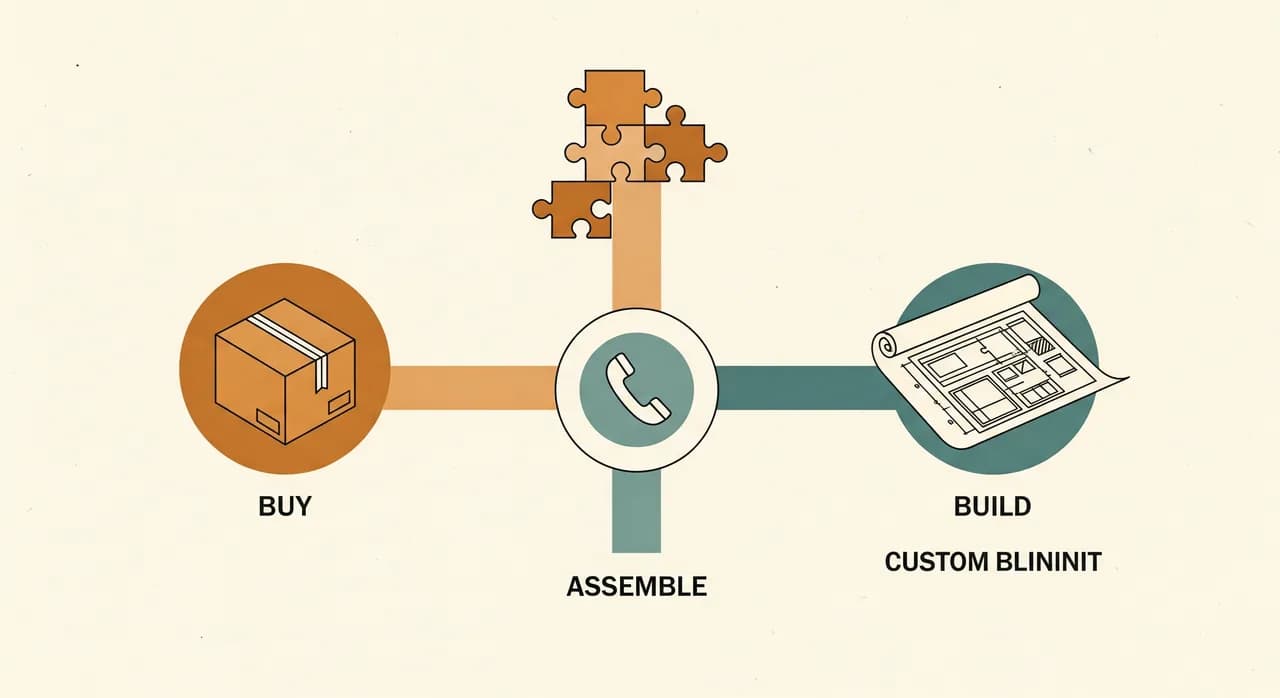
Tu vám ušetrím nejaké peniaze. Automaticky nepotrebujete aplikáciu šitú na mieru. Existujú tri reálne cesty a tá správna závisí od toho, aký nezvyčajný je váš spôsob práce.
Prvá je kúpiť hotové riešenie: hotovú aplikáciu pre personál alebo platformu pre pracovnú silu. Ak sú vaše potreby štandardné — zmeny, chat, dokumenty — existujúci produkt vás môže pokryť za mesačný poplatok, a to býva rozumný štartovací bod. Háčik je v tom, že cena za používateľa rastie, ako rastiete, a vy svoj proces ohýbate, aby sadol nástroju. Druhá je poskladať z dielov: zošiť dohromady nástroj na plánovanie, nástroj na chat a nástroj na dokumenty, za ktoré už platíte. Lacné, ale ostáva to záplatovaním a váš tím je späť pri viacerých aplikáciách namiesto jednej.
Tretia je postaviť aplikáciu na mieru, a tá si zaslúži miesto práve vtedy, keď vaša firma robí niečo, čo hotové nástroje nerobia — špecifický tok výkazov práce, nezvyčajný vzor zmien, prepojenie so systémom, ktorý poháňa vašu skutočnú prácu. Aplikácia na mieru je vaša: žiadna daň za používateľa, ktorá vás trestá za rast, a sadne vášmu procesu namiesto naopak. Stojí viac na začiatku a údržbu máte na pleciach, takže je to zámerná voľba, nie predvolená. Úprimná odpoveď pre mnohé malé firmy je začať kúpeným alebo poskladaným, pocítiť presne, kde to tlačí, a postaviť na mieru, keď budete presne vedieť, čo potrebujete.
Koľko aplikácia na mieru naozaj stojí
Cena je otázka, na ktorú chcú odpoveď všetci a nikto ju nechce dať na papier, tak tu je jej úprimný obrys, bez predstierania, že viem oceniť váš projekt naslepo. Najväčšia premenná je rozsah: sústredená aplikácia, ktorá robí základné štyri, stojí zlomok rozľahlej, ktorá sa snaží byť HR systémom. Druhá je, koľko musí komunikovať s vaším existujúcim softvérom.
Skutočne užitočná prvá verzia — chrbtica plus jedna či dve základné funkcie, na telefónoch, ktoré váš tím už vlastní — je ohraničený kus práce, nie otvorený. Je to typ projektu, ktorý ohraničíte tak, aby vyšiel v týždňoch, nie v roku. Cena vybuchne len vtedy, keď sa ľudia snažia postaviť všetko naraz, alebo keď nikto nerozhodol, čo znamená „hotovo”, takže to nikdy nepríde. Najväčšia kontrola nákladov, akú máte, nie je lacnejší vývojár — je to menšia, jasnejšia prvá verzia.
A pamätajte, že porovnanie nie je tvorba na mieru oproti zadarmo. Je to tvorba na mieru oproti mesačným poplatkom za používateľa, ktoré by ste inak platili navždy, plus hodiny, ktoré teraz strácate ako ústredňa. Keď to postavíte vedľa seba, dobre ohraničená jednorazová tvorba často vyzerá oveľa rozumnejšie, než sa spočiatku zdá — najmä pre tím, ktorý bude ďalej rásť.
Ako ohraničiť prvú verziu, ktorá naozaj vyjde
Rozdiel medzi projektom aplikácie pre zamestnancov, ktorý sa spustí, a tým, ktorý zomrie v plánovaní, takmer nikdy nie je technológia. Je to disciplína okolo rozsahu. Tu je metóda, ktorou udržím prvú verziu dosť malú na dokončenie a dosť veľkú na to, aby mala význam.
- 1Pomenujte ten jeden denný návykRozhodnite, čo jedno si váš tím bude otvárať v aplikácii každý deň — zvyčajne kontrolu rozpisu. To je vaša chrbtica. Postavte ju ako prvú, postavte ju dobre.
- 2Pridajte nanajvýš dve podporné funkcieVyberte jednu či dve veci, ktoré sa prirodzene zhlukujú okolo chrbtice — oznamy, prístup k dokumentom, zapichnutie príchodu. Zvyšku sa zatiaľ vzoprite.
- 3Napíšte „hotovo” ako vetu„Každý zamestnanec si vidí svoje zmeny a číta oznamy v telefóne a rozpis už nikdy neposielam cez WhatsApp.” Ak to neviete napísať, neohraničili ste to.
- 4Rozhodnite, s čím sa musí prepojiťVypíšte existujúce systémy, s ktorými musí komunikovať — a nemilosrdne vyškrtnite prepojenia, ktoré sú len pekné. Prepojenia sú miesto, kde sa harmonogramy ticho zdvojnásobia.
- 5Najprv spustite pre pár ľudíZaveďte jednému tímu alebo zmene pred všetkými. Skutočné používanie vynesie na povrch drsné hrany, aké žiadna plánovacia porada nikdy nevynesie.
Všimnite si, že ani jeden z tých krokov nie je o technologických voľbách. Natívne oproti webu, ktorý framework, ktorá databáza — to sú skutočné otázky, ale je úlohou vývojára na ne dobre odpovedať, nie vašou trápiť sa nimi. Vašou úlohou je byť nemilosrdne jasní v tom jednom návyku a v definícii hotového. Trafte to a takmer každá schopná tvorba uspeje. Pokašlite to a ani najparádnejší technologický stack na svete projekt nezachráni.
Skutočná výzva nie je ju postaviť — je to osvojenie
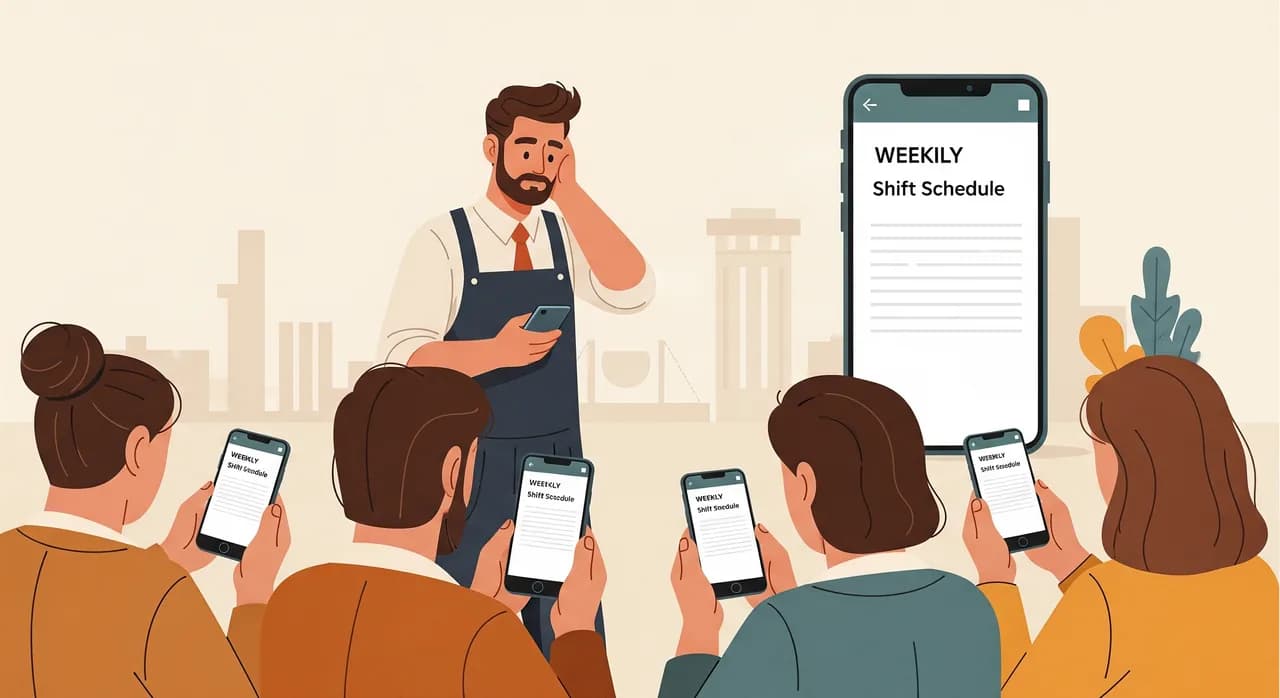
Tu je tá nepríjemná pravda, ktorú v predajnej reči nikto nespomenie: postaviť aplikáciu je tá ľahšia polovica. Dostať váš tím k tomu, aby ju naozaj používal — aby prestal siahať po starej WhatsAppovej skupine, aby veril, že rozpis v aplikácii je ten rozpis — tam aplikácie pre zamestnancov žijú alebo umierajú. Dokonalá aplikácia, ktorú polovica tímu ignoruje, je horšia než žiadna, lebo teraz informácia žije na dvoch miestach.
Osvojenie pramení z dvoch vecí. Po prvé, aplikácia musí byť pre denný návyk naozaj rýchlejšia než obchvat — ak je kontrola zmien v aplikácii pomalšia než správa vám, ľudia budú písať vám. Po druhé, musíte zámerne zabiť starý kanál. V deň, keď aplikácia nábehne, rozpis prestane visieť na chladničke a v chate. Jeden zdroj pravdy, presadzovaný jemne, ale pevne, kým sa nový návyk neusadí. Veďte dva kanály súbežne navždy a dostanete to najhoršie z oboch.
Uvažujete o aplikácii pre svoj tím?
Najťažšia časť je ohraničiť tú správnu prvú verziu — dosť malú, aby vyšla, dosť veľkú, aby mala význam. Pozrieme sa, ako váš tím naozaj pracuje, a pomôžeme vám rozhodnúť, čo postaviť, kúpiť alebo vynechať, bez záväzku spustiť projekt.
Pozrite, ako staviame aplikácie pre zamestnancovČasté otázky
Aká malá je príliš malá na aplikáciu pre zamestnancov?
Mám postaviť aplikáciu na mieru, alebo ju jednoducho kúpiť?
Musí byť aplikácia pre zamestnancov „skutočná” aplikácia z obchodov s aplikáciami?
Aký je najčastejší dôvod, prečo aplikácie pre zamestnancov zlyhajú?
Ako dlho trvá, kým prvá verzia vyjde?

Have a nice day je softvérové štúdio, ktoré pomáha malým a stredným firmám s digitalizáciou — automatizácia, umelá inteligencia a softvér na mieru, ktorý funguje v každodennej prevádzke, nielen na slajdoch.