Ako rozpoznať ten jeden proces, ktorý sa naozaj oplatí automatizovať ako prvý
Nie každá otravná úloha si zaslúži automatizáciu. Toto je praktický a priamy návod, ako odlíšiť skutočných kandidátov od tých, ktorí vám potichu prejedia peniaze — ešte skôr, než miniete jediný cent.
 Have a nice day13 min čítania
Tu je nepríjemná pravda, ktorú vám nikto, kto predáva softvér, nepovie: väčšina úloh, ktoré by ste radi automatizovali, za automatizáciu nestojí. Sú otravné, áno. Ujedajú vám večery. Ale otravné a vhodné na automatizáciu sú dve odlišné veci a ich zamieňanie je tá najdrahšia chyba, akú malá firma urobí, keď sa konečne rozhodne dať si veci do poriadku. Zručnosť, na ktorej naozaj záleží, nie je výber nástroja — ale naučiť sa pozrieť na vlastný týždeň a odlíšiť skutočných kandidátov od návnad.
Videl som desiatky majiteľov, ako to robia rovnako zle. Vyberú si úlohu, ktorá pôsobí najhoršie — tú, čo im ničí nedeľu — a nalejú peniaze do jej automatizácie, len aby o šesť týždňov zistili, že sa diala dvakrát do mesiaca a že sa automatizácia zaplatí niekedy okolo roku 2031. Medzitým nudná, neviditeľná úloha, ktorá potichu odčerpávala hodinu denne, zostala nedotknutá, lebo si ju nikto nevšimol. Pocity sú tu zlým radcom. Frekvencia, predvídateľnosť a cena chyby sú dobrí radcovia.
Tento článok teda nie je o tom, ako automatizovať. Je o kroku pred tým — o časti, ktorú každý preskočí. Ako sa pozriete na neusporiadanú realitu svojej firmy a spoľahlivo ukážete na ten jeden proces, ktorý si zaslúži ísť ako prvý? Urobte to dobre a zvyšok je pomerne ľahký. Urobte to zle a ani ten najlepší nástroj na svete vás nezachráni.
Prečo úloha, ktorá vás najviac otravuje, je len zriedka tá pravá
Bolesť a hodnota si nezodpovedajú. Úloha, pri ktorej najhlasnejšie zastonáte, býva zvyčajne tá emocionálne náročná, nie tá, ktorá vás v skutočnosti stojí najviac. Poslať nepríjemný e-mail, vybaviť sťažnosť, prerobiť ponuku, pri ktorej si klient rozmyslel — to páli. No často sú zriedkavé alebo si vyžadujú presne ten druh ľudského úsudku, ktorý automatizácia nahradiť nedokáže. Pamätáte si ich preto, že boleli, nie preto, že sú časté.
Naozaj drahé úlohy sú takmer vždy tie, ktoré ste si prestali všímať. Kopírovanie dodacej adresy z e-mailu do objednávkového systému. Opätovné zapisovanie tých istých údajov dodávateľa každý pondelok. Kontrola, či sa tri veci zhodujú, predtým než pošlete faktúru. Žiadna z nich vám neničí deň. Každá trvá deväťdesiat sekúnd. A robíte ich štyridsaťkrát za týždeň bez toho, aby ste si ich vôbec zaregistrovali ako prácu. Práve tam sú peniaze — vo veciach, ktoré sa stali neviditeľnými práve preto, že sú také rutinné.
“Úloha vhodná na automatizáciu je len zriedka tá, ktorá bolí najviac. Je to tá, ktorú ste si prestali všímať, lebo ju robíte tak často.”
Preto nikdy nenechám majiteľa začať od pamäti. Pamäť je zaujatá voči dráme. Ak sa niekoho spýtate, čo mu žerie čas, vymenuje to, čo ho frustrovalo najnedávnejšie — čo takmer nikdy nie je to, čo ho frustruje najčastejšie. Neviditeľné úlohy musíte dostať späť pred oči, skôr než ich budete môcť posúdiť, a to si vyžaduje trochu zámerného úsilia.
Najprv urobte neviditeľnú prácu viditeľnou
Nemôžete hodnotiť to, čo nevidíte, takže pred akýmkoľvek bodovaním či posudzovaním potrebujete hrubý prehľad o tom, kam vám hodiny naozaj idú. Nemusí to byť formálna časová štúdia so stopkami. Musí to byť úprimné a musí to pokrývať bežný týždeň, nie vašu predstavu o bežnom týždni.
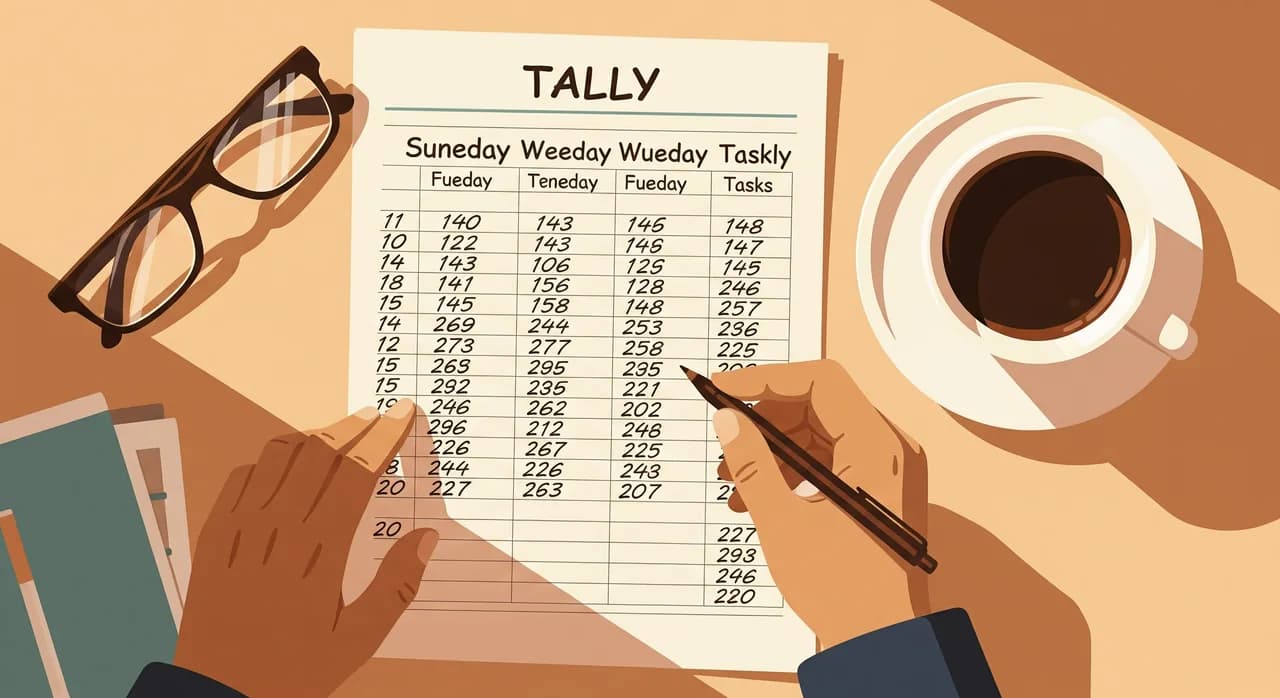
Najlacnejšia metóda, ktorá funguje: veďte si jednu otvorenú poznámku počas piatich pracovných dní a vždy, keď urobíte niečo opakujúce sa, pripíšte k tomu čiarku. Nová čiarka pre nový typ úlohy, ťah pre každé opakovanie. Pri zbieraní neposudzujte — len zhromažďujte. Do piatka vám stránka povie niečo, čo by vám pamäť nikdy nepovedala: ktoré úlohy sa opakujú najviac a ako tie malé neviditeľné potichu v súčte prevýšia tie dramatické, ktoré by ste vymenovali z hlavy.
Päť signálov procesu vhodného na automatizáciu
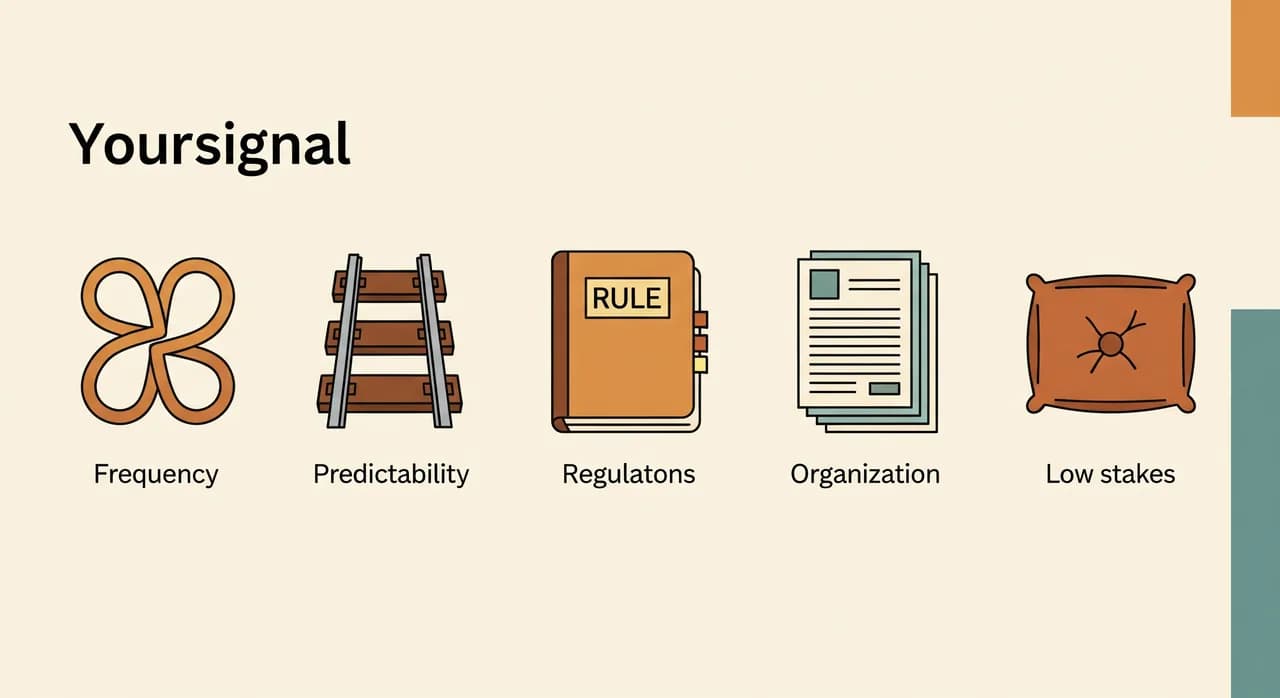
Keď už svoje úlohy vidíte, potrebujete spôsob, ako ich posúdiť, ktorý sa nespolieha na pocit v bruchu. Za roky som to zúžil na päť signálov. Proces vhodný na automatizáciu má zvyčajne väčšinu z nich. Proces, ktorý má len jeden alebo dva, je pasca prezlečená za príležitosť.
1. Deje sa často
Frekvencia je násobiteľ, vďaka ktorému všetko ostatné získava na dôležitosti. Úloha, ktorá trvá dve minúty, ale deje sa päťdesiatkrát za týždeň, je oveľa lepším kandidátom než tá, ktorá trvá hodinu, ale deje sa raz za mesiac. Automatizácia má fixnú cenu nastavenia a frekvencia je to, čo túto cenu vráti. Ak sa niečo deje len niekoľkokrát do roka, takmer nikdy si svoje miesto nezaslúži — bez ohľadu na to, ako veľmi sa toho desíte.
2. Vždy nasleduje rovnaké kroky
Automatizácia miluje recept. Ak úloha prebieha zakaždým rovnako — rovnaké vstupy, rovnaké kroky, rovnaký výstup — je silným kandidátom. Ak sa vetví do tucta špeciálnych prípadov, z ktorých každý si vyžaduje rozhodnutie, strávite viac času opisovaním výnimiek, než kedy ušetríte. Čím viac viet je potrebných na vysvetlenie úlohy novému zamestnancovi, tým horší kandidát to zvyčajne je.
3. Beží na pravidlách, nie na úsudku
Medzi úlohami, ktoré sa riadia pravidlami, a úlohami, ktoré si vyžadujú, aby človek veci zvážil, je jasná hranica. Presúvanie dát medzi dvoma systémami je pravidlo. Rozhodnutie, či dáte vernému zákazníkovi zľavu, je úsudok. Úlohy založené na pravidlách sú tie, ktoré stroj dokáže vykonávať spoľahlivo a neúnavne. Úlohám náročným na úsudok môže softvér niekedy pomôcť, no snaha o ich úplnú automatizáciu zavčasu je cestou, ako vyrobiť rýchle a sebavedomé chyby.
4. Vstupy sú už v použiteľnej podobe
Úlohu je oveľa ľahšie automatizovať, keď informácie, ktoré potrebuje, už niekde žijú v štruktúrovanej podobe — vo formulári, systéme, konzistentnom formáte e-mailu. Ak je vstupom kopa ručne písaných poznámok, hlasových správ alebo fotografií účteniek, automatizácia je stále možná, ale potichu ste sa presunuli na ťažší a drahší terén. Nie nemožný. Len nie váš prvý projekt. Úlohy s neusporiadaným vstupom si nechajte na čas, keď už máte ľahké víťazstvo v suchu.
5. Chyba je lacná a ľahko sa napraví
Vaša prvá automatizácia by mala byť tam, kde je malá chyba otravná, nie katastrofálna. Pripomienka, ktorá sa odošle dvakrát, je trápna; výpočet miezd, ktorý sa spustí dvakrát, je kríza. Začnite tam, kde je polomer výbuchu malý. Chcete mať slobodu nechať automatizáciu bežať, sledovať ju a opravovať ju otvorene — nie proces taký kritický, že jedna chyba skončí na vašom bankovom výpise.
Premeňte signály na rýchle skóre
Signály sú užitočné, ale keď zízate na osem kandidátov, potrebujete niečo rozhodnejšie než pocit. Tak ich premeňte na číslo. Nepotrebujete vzorec, ktorý by schválil finančný tím — potrebujete niečo dosť rýchle na to, aby ste to naozaj použili. Tu je verzia, ktorú s majiteľmi prechádzam na zadnej strane obrúska.
- 1Zoznam vašich hlavných kandidátovVytiahnite z týždňa 5 – 8 úloh s najväčším počtom čiarok. Všetko pod tým ignorujte — dlhý zoznam len zablokuje rozhodnutie.
- 2Obodujte ušetrený čas, 1 až 5Koľko hodín týždenne by vám automatizácia tohto naozaj vrátila? Buďte úprimní; vynásobte minúty na jedno spustenie tým, ako často sa spúšťa, neverte des.
- 3Obodujte, aká je čistá, 1 až 5Spojte predvídateľnosť, založenie na pravidlách a upratané vstupy do jedného čísla „nakoľko automatizovateľné“. Neusporiadaná úloha náročná na úsudok tu dostane nízke skóre, aj keď je častá.
- 4Vynásobte a potom rozumovo preverte rizikoČas × čistota vám dá poradie. Potom vyškrtnite všetko, kde by chyba bola drahá alebo ťažko napraviteľná — to nie sú prvé projekty, nech dostali akékoľvek skóre.
- 5Vyberte najvyššie skóre, ktoré dokážete čoskoro dokončiťNie úplne najvyššie skóre — to najvyššie, ktoré reálne dokážete spustiť do dvoch až troch týždňov. Dokončené malé víťazstvo zakaždým poráža nedokončené veľké.
Násobenie je dôležitejšie, než sa zdá. Úloha, ktorá dostane 5 za čas, ale 1 za čistotu, skončí na 5 — rovnako ako úhľadná maličká úloha, ktorá ušetrí mierny čas. To je metóda, ktorá vás chráni pred vami samými: zabráni vám naháňať veľkú, bolestivú, neusporiadanú prácu len preto, že číslo ušetreného času vyzeralo lákavo. Nudná, čistá, častá úloha zvyčajne vyhrá, a zvyčajne aj má.
| Kandidátska úloha | Čas (1 – 5) | Čistá (1 – 5) | Skóre | Verdikt |
|---|---|---|---|---|
| Adresa objednávky → do systému | 4 | 5 | 20 | Silná prvá voľba |
| Pripomienky termínov | 4 | 5 | 20 | Silná prvá voľba |
| Opätovné zapisovanie údajov dodávateľa | 3 | 5 | 15 | Dobrá |
| Tvorba individuálnych ponúk | 5 | 2 | 10 | Lákavá, ale neusporiadaná — počkajte |
| Vybavovanie sťažností | 3 | 1 | 3 | Nechajte na človeka |
Varovné signály, že ste si vybrali nesprávny proces
Aj keď máte skóre pred sebou, oplatí sa poznať pachy zlého kandidáta, lebo sú zvodné a všetky v danej chvíli znejú rozumne. Ak váš zvolený proces zakopne o niektorý z nich, zastavte sa a pozrite sa znova, skôr než naň upniete peniaze.
- Na vysvetlenie treba viac než dve vety. Zložitosť v opise znamená zložitosť v realizácii — a množstvo okrajových prípadov, čo čakajú, kedy uhryznú.
- Stále hovoríte „no, okrem prípadu, keď…“. Každá výnimka je vetva, ktorú musí niekto ošetriť, a výnimky sa množia rýchlejšie, než čakáte.
- Deje sa len niekoľkokrát do roka. Akokoľvek bolestivé, matematika takmer nikdy nevyjde; na nastavenie miniete viac, než kedy ušetríte.
- Potrebuje, aby človek niečo cítil — empatiu, vkus, vyjednávanie. To nie sú neefektívnosti na odstránenie, to je tá práca.
- Chyba by bola drahá alebo ťažko vratná. Skvelý kandidát na automatizáciu, hrozný prvý. Vypracujte sa k nemu.
Stojí za zmienku ešte jeden jemný varovný signál: automatizovanie procesu, na ktorom ste sa v skutočnosti nedohodli. Ak dvaja ľudia vo vašej firme robia „tú istú“ úlohu tromi rôznymi spôsobmi, ešte nemáte proces — máte tri zvyky. Jeho automatizácia len zapečie nezhodu do softvéru. Najprv si na papieri vyjasnite, ako by to malo fungovať; potom, a až potom, je to kandidát.
Rozpoznať ho nie je to isté ako to, že je pripravený
Tu je rozlíšenie, ktoré ušetrí veľa trápenia: proces môže byť ten správny na automatizáciu a napriek tomu ešte nie je pripravený na automatizáciu. Rozpoznať kandidáta je prvý krok. Uistiť sa, že je v stave vhodnom na odovzdanie stroju, je druhý krok, a jeho preskočenie je cestou, ako nakoniec automatizujete chaos a dostanete späť rýchlejší chaos.
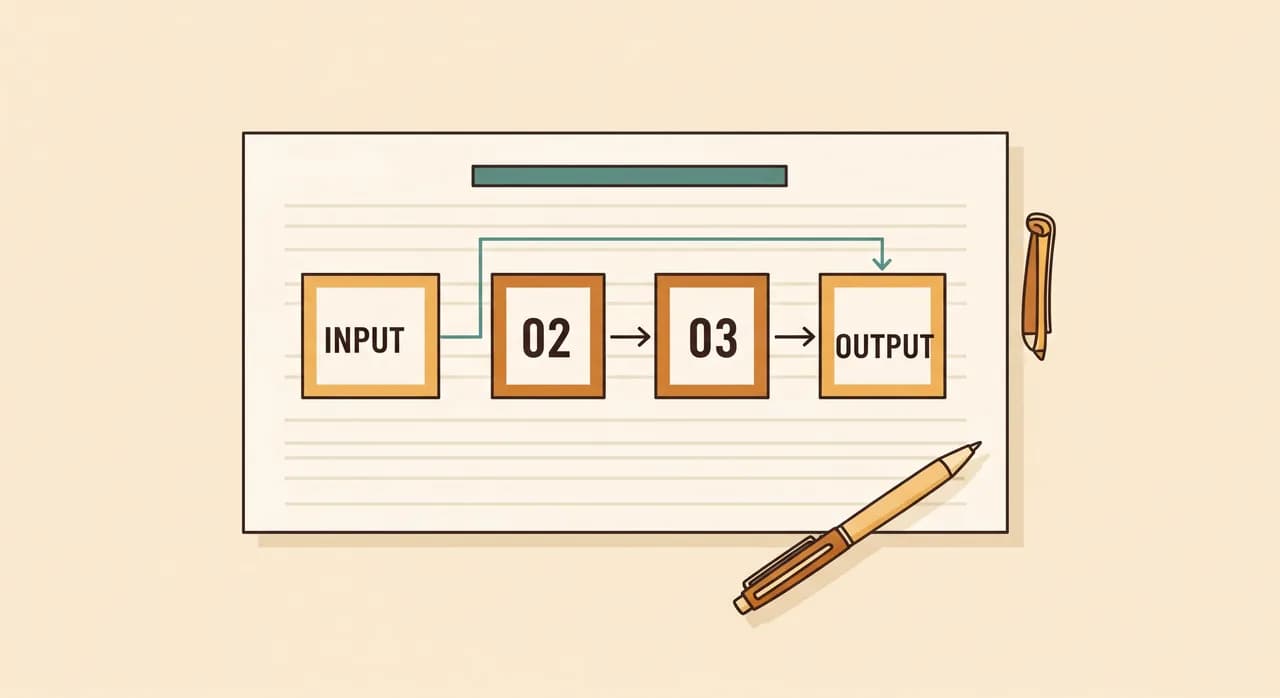
Proces je pripravený, keď dokážete presne zapísať, čo doň vstupuje, presne čo z neho vychádza, a kroky medzitým bez jediného „to závisí“. Ak tieto tri veci nedokážete jasne zapísať, úloha ešte nie je softvérovým problémom — je to problém jasnosti a žiadny nástroj to neopraví. Dobrá správa je, že samotný akt zapisovania zvyčajne jasnosť vytvorí. Polovica hodnoty prípravy na automatizáciu je premýšľanie, ktoré vás k nemu donúti.
“Ak proces nedokážete opísať v troch jednoduchých vetách — čo vstupuje, čo vychádza, čo sa deje medzitým — nie je pripravený na automatizáciu. Je pripravený na to, aby ste mu porozumeli.”
Toto je zároveň najlacnejšie možné poistenie proti prehnaným výdavkom. Popoludnie strávené opisovaním procesu na papieri vám zadarmo povie, či je to čisté víťazstvo na deväťdesiat sekúnd, v ktoré ste dúfali, alebo zamotaná otázka úsudku v prestrojení. Nech je odpoveď akákoľvek, oplatí sa ju mať skôr, než vám niekto dá cenovú ponuku na realizáciu.
Kde sa dobrí kandidáti zvyčajne skrývajú
Ak by ste radšej nečakali týždeň, kým to zistíte, existuje niekoľko miest, kde sa silní prví kandidáti objavujú znova a znova takmer v každom druhu malej firmy. Berte ich ako náskok, nie ako náhradu za pohľad na vlastnú realitu.
Švy medzi dvoma systémami, ktoré spolu nehovoria, sú najbohatším lovišťom — všade tam, kde je človek kopírovacím káblom medzi e-mailom a tabuľkou, alebo objednávkou a faktúrou. Tesne za nimi sú naplánované podnety: pripomienky, follow-upy, upozornenia, čokoľvek, čo je vlastne len „urob túto vec v tento čas, zakaždým“. Potom opakované vyhľadávania — kontrola toho istého stavu, odpovedanie na tých istých päť otázok zákazníkov, ťahanie toho istého pondelkového reportu z tých istých troch miest. Nič z toho nie je honosné. Všetko je to časté, predvídateľné a zhovievavé, čo je presne dôvod, prečo sú to také dobré prvé projekty.
Nie ste si istí, ktorý proces je ten váš naozaj prvý?
Výber správneho východiskového bodu je tou časťou, ktorú je najlacnejšie trafiť a najdrahšie minúť. Pozrieme sa s vami na váš týždeň a ukážeme na ten jeden proces, ktorý sa naozaj oplatí automatizovať ako prvý — bez akéhokoľvek záväzku čokoľvek vybudovať.
Pozrite si, ako pristupujeme k automatizáciiČasté otázky
Ako zistím, či sa úlohu vôbec oplatí automatizovať?
Mám automatizovať úlohu, ktorá mi žerie najviac času?
Aká je najčastejšia chyba pri výbere prvého procesu?
Ako rozpoznám, či je proces pripravený na automatizáciu?
Musím pred začiatkom zmapovať každý proces?

Have a nice day je softvérové štúdio, ktoré pomáha malým a stredným firmám s digitalizáciou — automatizácia, umelá inteligencia a softvér na mieru, ktorý funguje v každodennej prevádzke, nielen na slajdoch.