On-Premise AI for a Privacy-First Firm: A Case Study
A security consultancy wanted the productivity of modern AI without a single document ever leaving the building. Here's how we built a private assistant that runs entirely on their own hardware — and what it actually took.
 Have a nice day13 min read
Some businesses can't put their data in someone else's cloud — not because they're paranoid, but because confidentiality is the actual product they sell. This is the story of one such firm, and how we gave them the speed of a modern AI assistant without a single client file ever leaving their own four walls. No marketing gloss. Just what we tried, what broke, and what finally worked.
We get a particular kind of enquiry a few times a year. It usually opens with a sentence like: “We'd love to use AI, but we legally can't send our data anywhere.” The person on the other end has already watched colleagues paste sensitive material into a public chatbot, felt their stomach drop, and quietly banned the whole category. They're not anti-technology. They're stuck between a real productivity opportunity and a non-negotiable duty of confidentiality.
This case study is about a firm exactly like that. To respect the very confidentiality that defined the project, we've anonymised everything — the name, the people, the specifics of their clients. The numbers are illustrative and rounded, not audited figures. But the shape of the problem, and the way we solved it, is exactly as it happened.
The situation: productivity locked behind a confidentiality wall
The client was a mid-sized advisory firm in a field where discretion isn't a nice-to-have — it's the entire reason clients hire them. Think of a practice that handles sensitive corporate, legal or security-adjacent work, where a leak wouldn't just be embarrassing; it would end the business. Around thirty people, a serious caseload, and a mountain of long, dense documents that someone has to read, summarise and cross-reference every single week.
Their team had watched the rest of the world speed up with AI assistants and felt the gap widening. A junior could spend half a day pulling key points out of a 90-page report. Drafting a first-pass summary of a case file ate hours that no one billed for. The work was exactly the kind of dense, language-heavy slog that modern AI is genuinely good at — and they couldn't touch any of it.
The blocker was simple and absolute. Their client agreements and their own internal policy forbade sending client material to any third-party service. Not anonymised, not encrypted-in-transit, not “the vendor promises not to train on it.” The data was not allowed to leave their premises, full stop. Every cloud AI tool on the market was off the table by definition, no matter how good its privacy policy looked on paper.
“They didn't want a vendor's promise that the data was safe. They wanted the data to never be in a position where a promise was required.”
That last distinction is the whole project in one sentence. A lot of “private AI” offerings are really someone else's cloud with a stricter contract. For this client, that wasn't enough. The only acceptable answer was a system where the sensitive data physically never travelled — where you could, in principle, unplug the network cable and the assistant would still work.

Why the obvious cloud answers didn't fit
Before building anything, we did our due diligence on the easier paths — because on-premise is more work, and we won't recommend it if a simpler option genuinely fits. For this client, each shortcut fell down on the same wall.
The big providers all offer enterprise tiers with “we don't train on your data” and regional hosting. Reassuring, and for many businesses entirely sufficient. But it still means client files leave the building and sit, however briefly, on infrastructure the firm doesn't control. For a practice whose contracts explicitly forbid that, a strong promise is still a promise — and promises don't survive an audit question that starts with “can you guarantee…”.
We also ruled out a private cloud instance — a dedicated, isolated environment hosted by a provider. Technically stronger, and a perfectly good fit for some firms. But it still placed the data on rented hardware in a building the client didn't own, and it kept a dependency on an outside vendor for something the client wanted fully under their own roof. They were willing to trade some convenience for that control. So on-premise it was.
What we actually built
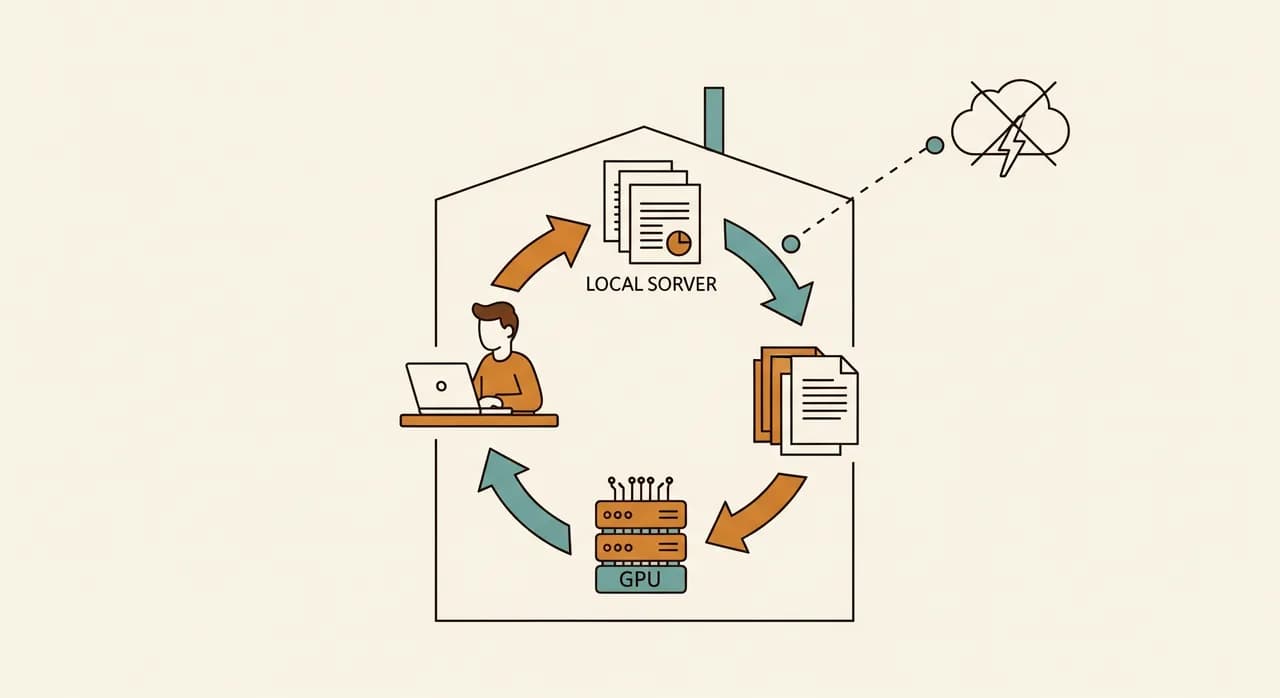
The solution, stripped to its essentials, was a private AI assistant running on a single capable server inside the client's own office. The team reaches it through an ordinary web page in their browser — it looks and feels like the chat tools everyone already knows. Behind that familiar window, nothing ever leaves the local network.
We deliberately kept the architecture boring. Boring is reliable, and reliable is what a privacy-critical system needs. There were three moving parts worth naming.
An open-weight model running locally
Rather than calling out to a hosted model, we ran a capable open-weight language model directly on the server's GPU. Open-weight matters here: the model files live on the client's disk, run on the client's hardware, and answer questions without any internet round-trip. For their workload — summarising, extracting, drafting, answering questions about their own documents — a well-chosen mid-sized model was more than good enough. They didn't need the absolute frontier; they needed competent and private.
A private knowledge layer over their own files
The real value wasn't a generic chatbot — it was an assistant that could answer questions about their own case files. We built a retrieval layer that indexes their documents locally, so when someone asks “what did we conclude about X in the Müller matter,” the system finds the relevant passages and answers from them. That index, like everything else, sits entirely on the local machine. No document, and no fragment of one, is ever uploaded anywhere.
Access control that matched their existing rules
A firm like this already has strict rules about who can see which files. The assistant had to respect them, not route around them. So access mirrored their existing permissions: you can only ask the AI about material you're already allowed to open. This sounds obvious, but it's the part that turns a clever demo into something a compliance officer will actually sign off on.
How we rolled it out without disrupting the work
A privacy-first firm is, understandably, cautious about new systems. We weren't going to win trust by flipping a switch and declaring victory. So we ran the project as a series of small, reversible steps, each one provable before the next began.
- 1Scoped one painful task firstWe didn't try to 'add AI to the firm.' We picked a single high-volume job — summarising long incoming documents — and built for that. One clear target, easy to judge as a success or failure.
- 2Built on a test machine with dummy dataEverything was first stood up on an isolated box using fabricated documents, so no real client data was involved until the system was proven and the security model reviewed.
- 3Ran a closed pilot with a few power usersA handful of senior staff used it on real work for several weeks, alongside their normal process. They found the rough edges — odd phrasings, a few documents the index handled poorly — and we fixed them.
- 4Reviewed it against their own policyBefore any wider rollout, their compliance lead audited exactly where data lived and moved. Because the answer was 'nowhere but here,' that review was short — which was the whole design goal.
- 5Opened it to the team with a one-page guideOnly once it was trusted did we roll it out firm-wide, with a plain-language note on what it's good at, what it isn't, and the reminder that it never invents — it cites.
The result: hours back, and nothing left the building
Within a couple of months of full rollout, the assistant had quietly become part of the daily routine. The headline outcome was the one they cared about most: not a single byte of client data ever left their premises, and they could prove it to anyone who asked. The system runs on their server, in their office, under their control. That alone justified the project to them.
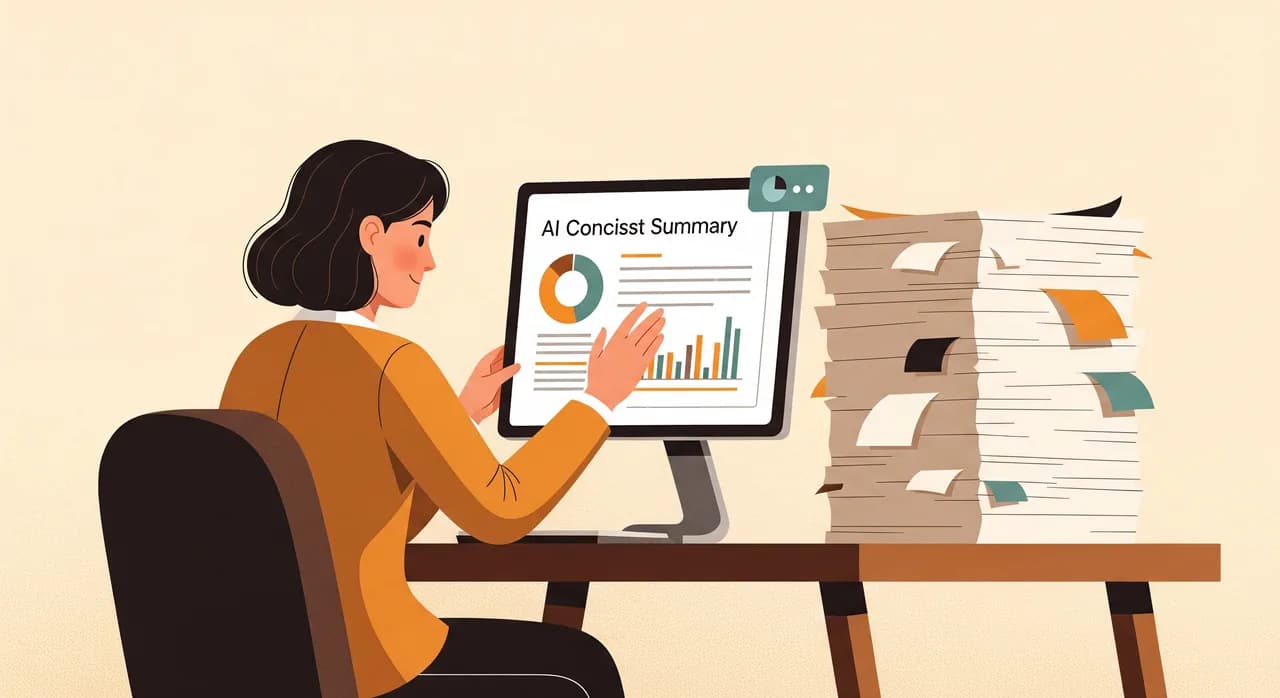
The productivity side was the bonus that made it pay. The first-pass summary of a long document — previously a multi-hour job for a junior — dropped to minutes of review-and-edit. Staff stopped re-reading entire files to answer one factual question; they asked the assistant, got a cited passage, and verified it in seconds. Across the team, the time freed up added up to a meaningful chunk of every week, redirected from grinding through documents to the higher-value analysis clients actually pay for.
Just as telling was a softer change. People who had been quietly nervous about AI — worried it was a leak waiting to happen — became comfortable using it, precisely because they understood why it was safe. Trust didn't come from us reassuring them. It came from an architecture they could explain to a client in one sentence: it never leaves the building.
| Aspect | Before | After |
|---|---|---|
| Summarising a long document | Half a day, by hand | Minutes to review a draft |
| Answering a question about a file | Re-read the whole file | Ask, get a cited passage |
| Where client data goes | Stays in, but AI off-limits | Stays in, and AI usable |
| Compliance review of the tool | Would fail on day one | Short — nothing leaves |
| Team confidence in using AI | Anxious, mostly avoided | Comfortable, understood |
“The win wasn't that the AI was clever. It was that, for the first time, the compliance answer and the productivity answer were the same answer.”
What it cost, honestly
On-premise AI is not the cheap option, and we'd be doing you a disservice to pretend otherwise. There's a real server with a real GPU to buy, a setup project to fund, and ongoing maintenance to budget for — patches, model updates, the occasional tune-up. For a firm whose confidentiality is contractual, that cost is easy to justify. For a firm that just likes the idea of privacy, it often isn't, and we'll say so.
The honest trade-off looks like this: a higher upfront cost and a bit more responsibility in exchange for total control and no per-message cloud fees that scale with use. For a heavy-usage team handling sensitive material, the economics actually improve over time — you've bought the capacity rather than renting it by the query. For light or occasional use, a cloud tool would almost certainly be cheaper. Knowing which side of that line you're on is most of the decision.
- A capable server with a suitable GPU — a one-off capital purchase, not a subscription.
- A setup project: installing and tuning the model, building the document index, wiring up access control.
- Ongoing maintenance: security patches, model updates, occasional retuning as needs change.
- Internal ownership: one named person who keeps an eye on it, exactly as you'd run any core system.
- No per-query cloud bill — usage that would get expensive in the cloud is essentially free once the hardware is paid for.
Would this fit your business?
This wasn't a one-off. The same pattern fits any firm where data sensitivity is the constraint rather than budget: legal practices, medical and health-adjacent providers, security and defence-adjacent work, financial advisors, R&D teams sitting on trade secrets. If you've found yourself wanting AI's help but flinching at the thought of where the data would go, you're the audience this approach was built for.
Equally, if your data isn't especially sensitive and you'd just be paying a premium for a feeling, we'll point you to a good cloud option and save you the spend. The right answer depends entirely on your obligations, not on which technology sounds more impressive. The most useful first step isn't choosing a model — it's getting honest about what your confidentiality duties actually require.
Confidentiality stopping you from using AI?
If your data legally can't leave the building, you still have options — and they're more practical than most people assume. Let's look at whether an on-premise setup makes sense for your obligations, with no obligation to build anything.
Explore on-premise AICommon questions
Does on-premise AI mean my data never leaves the building?
Is a locally run model as good as the big cloud ones?
Isn't on-premise AI very expensive?
How long does a project like this take to set up?
Who maintains the system once it's running?

Have a nice day is a software studio that helps small and mid-sized businesses go digital — automation, AI and custom software that works in everyday operations, not just on slides.