How a Small Agency Got 12 Hours a Week Back From Its Inbox
A nine-person creative agency was drowning in email — not in volume, but in the constant context-switching it caused. Here's exactly what we changed, what we deliberately left alone, and what it actually gave back.
 Have a nice day13 min read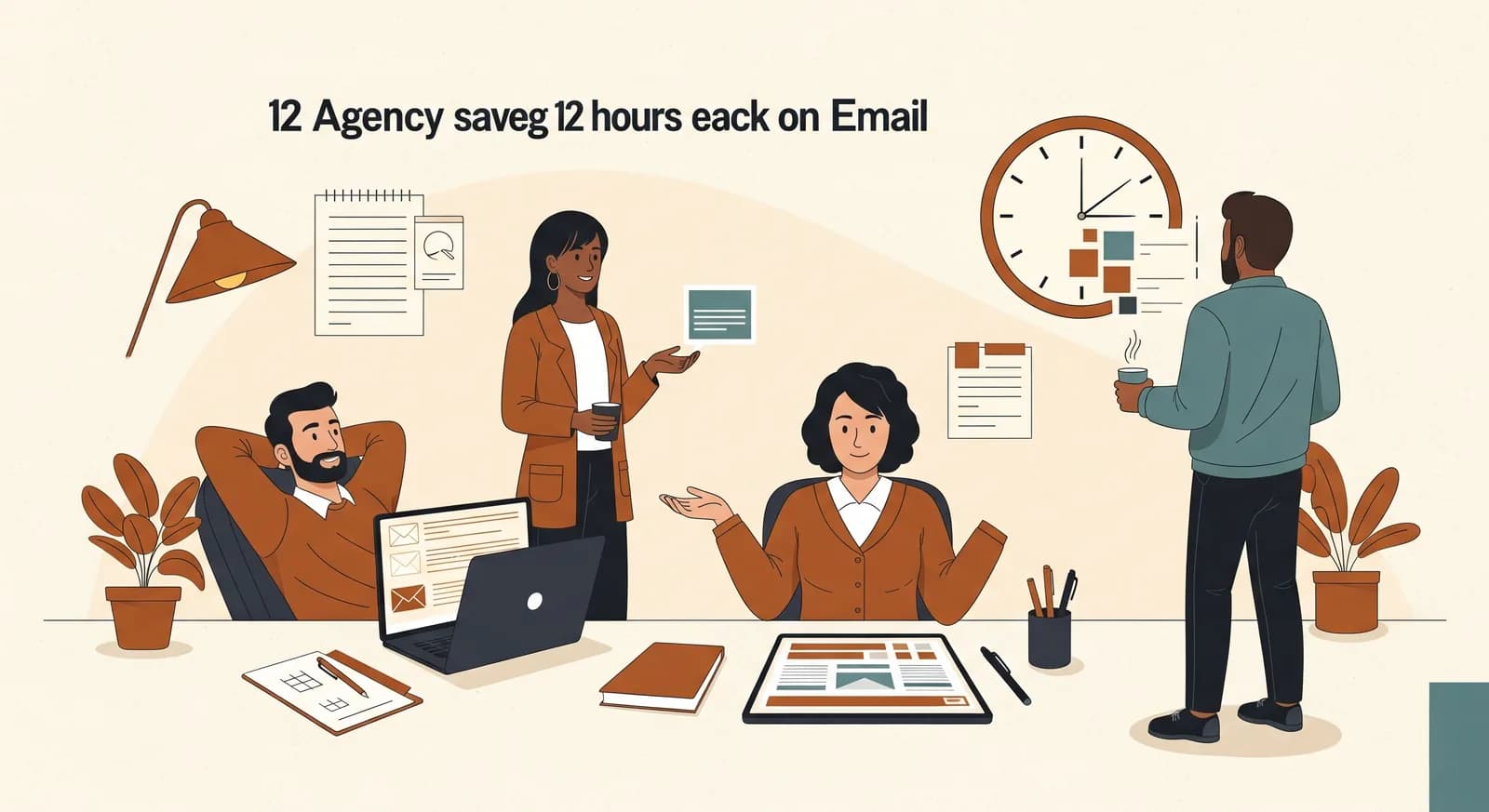
When a small agency tells you they have an email problem, they almost never mean they get too many emails. They mean the inbox has quietly taken over the day — that every twenty minutes someone stops what they're doing, reads a message, half-answers it in their head, and loses the thread of the real work they were paid to do. That's the story of this case study. Nine people, one shared sense that the inbox was running them instead of the other way round, and a fix that turned out to be smaller and less dramatic than anyone expected.
We've changed a few identifying details and the firm asked to stay anonymous, so I'll call them Studio Nord — a creative and marketing agency of nine people somewhere in the German-speaking middle of Europe. Branding, websites, a bit of paid media, a handful of long-running retainer clients and a steady trickle of new enquiries. The kind of business that's doing well enough to be busy and small enough that there's nobody whose actual job is to keep the machine tidy.
What follows is the honest version: the situation we walked into, what we built, the parts we chose not to automate, and what the change was really worth once the dust settled. The numbers in here are illustrative and rounded — this is one company's experience, not a benchmark you should hold yourself to. But the shape of it repeats often enough that it's worth telling carefully.
The situation: a busy inbox masquerading as a workload
Studio Nord didn't come to us asking for AI. They came to us frustrated. The founder described a typical morning: arrive with a plan, open the inbox to "just check", and surface ninety minutes later with twelve replies sent and the actual plan untouched. Every account manager told a version of the same thing. The work that clients paid for kept getting pushed into the evenings, because the days were eaten by correspondence.
When we sat down and actually looked, the volume was unremarkable — a few hundred emails a day across the team, well within normal for an agency that size. The problem wasn't quantity. It was that a real chunk of those messages were repetitive and low-judgement, yet they were being handled by the most expensive, most context-loaded people in the building, one interruption at a time.
We asked everyone to keep a rough tally for a week — not a formal study, just a note every time an email landed in a familiar bucket. The picture that came back was clear enough to act on, and probably familiar to anyone reading this.
- New-enquiry emails that needed the same five questions asked before anything could move ("what's the scope, the timeline, the budget range, who decides, when do you need it").
- Status-update requests from existing clients — "where are we with X?" — that someone had to stop and answer manually.
- Routine document and asset requests: send the invoice, resend the brief, share the latest draft.
- Internal forwarding and triage: working out who actually owns a message and nudging it to them.
- Meeting and scheduling back-and-forth that bounced four or five times before a slot was agreed.
None of that is hard. That's exactly the point. It's easy work, which is why it had never been questioned — and why it was bleeding hours. Easy work that interrupts hard work is one of the most expensive things a small team can carry, precisely because it never shows up on an invoice or a P&L. It just quietly turns into evenings.
What we measured before touching anything
We have a firm rule: no automation before a baseline. If you can't say roughly what the current process costs, you can't tell whether you improved it — and you'll end up arguing about feelings instead of facts six weeks later. So before we built anything, we spent a week getting a rough but honest measurement.
The method was deliberately low-tech. People logged, in fifteen-minute blocks, how much of their day went on email and which category it fell into. We didn't need surgical precision; we needed an order of magnitude. The total across the nine-person team came to somewhere around thirty to thirty-five hours a week spent reading, sorting and replying to email — a little under half a working day per person. Of that, our best estimate was that roughly a third was the repetitive, low-judgement category above.
That framing mattered to the team. We weren't promising to make email disappear. We were pointing at one specific, well-defined slice and saying: this part doesn't need you. Everything we did after that was about peeling off that slice cleanly, without breaking the parts that genuinely do need a human.
What we actually built
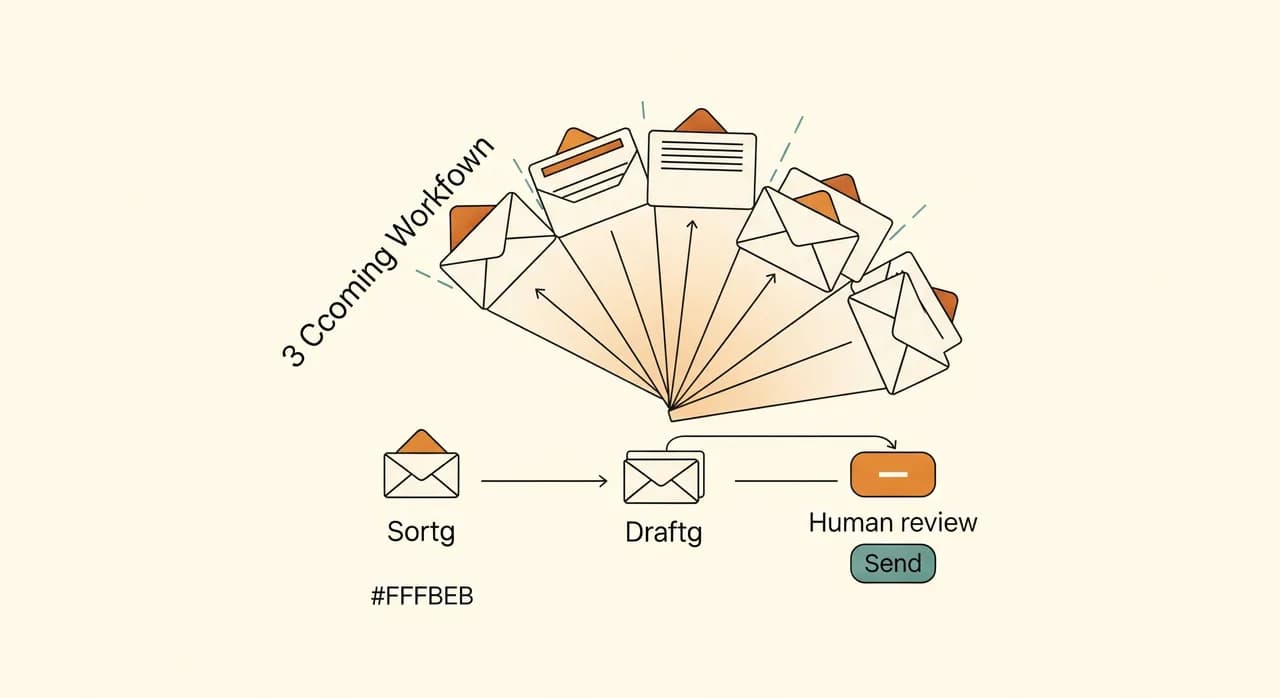
The solution had three layers, and we switched them on one at a time over about six weeks. Resisting the urge to launch everything at once is half the job — each layer had to earn trust before the next one went live.
Layer one: triage and sorting
The first and least scary layer simply read each incoming message and sorted it: new enquiry, existing-client request, supplier or admin, internal, or genuinely-needs-a-human-now. It tagged and routed each one to the right person or shared folder, and flagged anything urgent. No email was sent on anyone's behalf at this stage. It was, deliberately, a glorified sorting machine — and that was enough to stop the constant "is this mine?" interruptions.
Layer two: drafted replies, never sent automatically
Once triage was trusted, we added drafting. For the predictable categories — the enquiry that needs the standard five questions, the status request, the document resend — the assistant wrote a first-pass reply in the agency's own tone, pulling the relevant facts from their project tool, and left it sitting in drafts. A human still opened it, glanced at it, and hit send. Crucially, nothing went out without a person in the loop. That single design decision is why the team trusted it rather than fearing it.
Layer three: a small shared knowledge base
The quiet hero of the project. We pulled the agency's recurring answers — process, pricing ranges, how revisions work, typical timelines — into one tidy source the assistant could draw from. This is what made the drafts good instead of generic. It also had a side effect nobody predicted: simply writing those answers down once forced the agency to agree on what they actually were, which had never quite happened before.
“The assistant never sent a single email by itself. A human always pressed send. That one rule is the difference between a tool people trust and one they quietly switch off.”
What we deliberately left alone
This is the part most case studies skip, and it's the part that actually made the project work. We could have pushed for full auto-replies, sentiment-based escalation, the whole catalogue. We didn't, and we talked the founder out of it when the enthusiasm peaked.
We also left new, unusual enquiries alone. If a message didn't fit a known pattern, the assistant didn't guess — it routed it to a human and stayed quiet. A confident wrong answer is far more damaging than no answer, and an agency's reputation lives or dies on the first reply to a good lead. Restraint, here, was the feature.
How the rollout actually went
It wasn't perfectly smooth, and I'd be lying if I pretended otherwise. The first two weeks of triage were a little over-eager — it kept tagging newsletters as enquiries. That's normal; the corrections people made in those first weeks are exactly what taught it the agency's real patterns. By week three the sorting was quietly reliable and people stopped noticing it, which is the highest praise an automation can get.
- 1Baseline weekEveryone logged email time in rough fifteen-minute blocks, sorted into categories. No tools yet — just an honest picture of the starting point.
- 2Triage live, in parallelSorting and routing went on alongside the old habits for two weeks. Nothing was sent. People corrected the tags, and those corrections trained the patterns.
- 3Drafting, one category at a timeWe switched on drafted replies for new enquiries first, watched it for a week, then added status requests and document resends. Every draft was human-reviewed before sending.
- 4Knowledge base tidy-upWe sat the team down and pinned the recurring answers — pricing ranges, process, timelines — into one source, which lifted the draft quality immediately.
- 5Measure again, then stopAfter six weeks we re-ran the same rough time log, compared it to the baseline, fixed the last few annoyances, and deliberately resisted adding more.
The single most important rollout decision was running triage in parallel with the old way for two full weeks before anyone relied on it. Switching cold would have produced one bad morning, one lost email, and a team that never trusted the system again. Trust, once burned in a small office, doesn't come back cheaply.
The result: roughly twelve hours a week back
When we re-ran the time log after six weeks, team-wide email time had dropped from around thirty-three hours a week to roughly twenty-one. Call it twelve hours a week handed back across nine people — a bit over an hour each per day. Not because email vanished, but because the repetitive third had largely stopped landing on human desks as work, and the messages that did land arrived pre-sorted with a draft already waiting.
| Measure | Before | After six weeks |
|---|---|---|
| Team email time / week | ~33 hours | ~21 hours |
| Repetitive-email handling | Manual, interrupt-driven | Sorted + drafted |
| Avg. first reply to new enquiry | Several hours | Often under 30 min |
| Emails sent without human review | n/a | Zero — by design |
The hours were the headline, but the founder cared more about a second, softer result: enquiries got answered faster. A drafted reply waiting in the inbox meant the standard "thanks, a few quick questions" went out in minutes instead of sitting until someone had a gap. For an agency, a fast, thoughtful first reply to a lead is worth a great deal — and that improvement didn't show up in the time log at all.
The least expected outcome was about mood. People stopped dreading the inbox. When the repetitive noise drops away, what's left is the email that's genuinely worth your attention — the real client conversation, the interesting brief. The work felt more like the work again. That's hard to put on a spreadsheet, but it was the thing the team mentioned most.
What of this transfers to your business
Studio Nord is an agency, but almost nothing here is agency-specific. Any small business with a few hundred emails a day and a handful of recurring message types has the same hidden cost — clinics, trades offices, retailers with a support inbox, professional practices. The repetitive third is sitting in your inbox too; it just wears your industry's clothes.
If you take one thing from this, take the sequence, not the technology. Measure first. Sort before you draft. Keep a human on the send button. Leave the delicate emails fully human. Then measure again and stop. The AI is almost the least interesting part — it's the discipline around it that turns a clever demo into twelve real hours a week.
Got an inbox that runs your day?
We'll start the same way we started with Studio Nord — by measuring where your email time actually goes, then pointing at the slice that doesn't need you. No big platform, no obligation to build anything.
See how an AI email assistant worksCommon questions
Did the AI send emails on its own?
Are the twelve hours a guaranteed result?
Did anyone lose their job over this?
Do I need to replace my email or project tools to do this?
How long did it take to go live?

Have a nice day is a software studio that helps small and mid-sized businesses go digital — automation, AI and custom software that works in everyday operations, not just on slides.