Πώς να επιλέξετε την πρώτη σας περίπτωση χρήσης ΤΝ (χωρίς να ποντάρετε την επιχείρηση)
Όλοι λένε στις μικρές επιχειρήσεις να «υιοθετήσουν την ΤΝ» — σχεδόν κανείς δεν τους λέει από πού να αρχίσουν. Αυτή είναι η ήρεμη, πρακτική εκδοχή: πώς να βρείτε μία περίπτωση χρήσης ΤΝ που αξίζει, να αποδείξετε ότι αποδίδει και να αποφύγετε τα ακριβά αδιέξοδα.
 Have a nice day14 λεπτά ανάγνωσης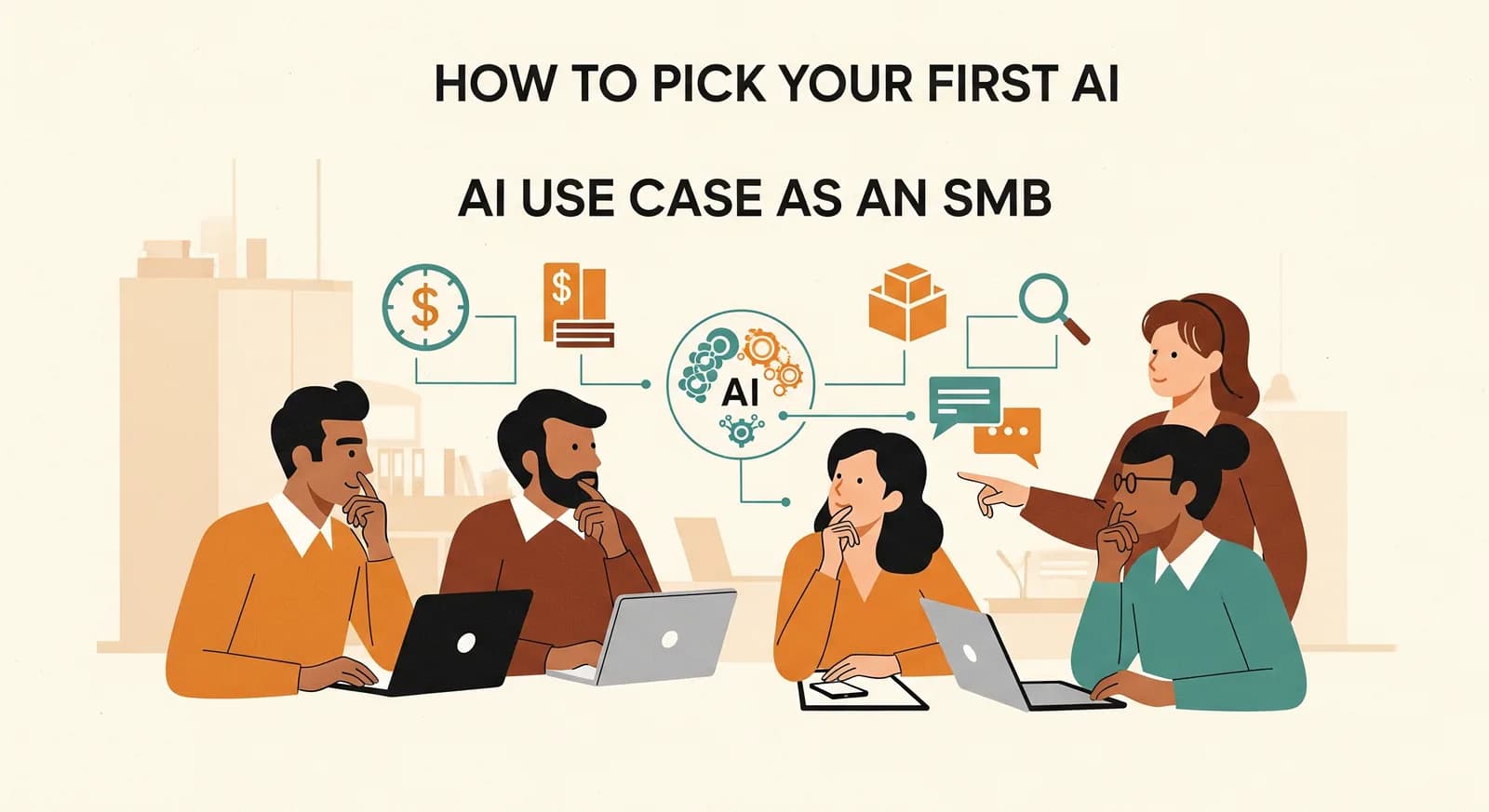
Υπάρχει ένα συγκεκριμένο βλέμμα που αποκτούν οι ιδιοκτήτες μικρών επιχειρήσεων όταν ανοίγει το θέμα της ΤΝ. Μισό ενθουσιασμός, μισό φόβος. Ξέρουν ότι υποτίθεται πως πρέπει να κάνουν κάτι με αυτήν — το λέει κάθε podcast, κάθε προμηθευτής, κάθε ανάρτηση ανταγωνιστή στο LinkedIn — αλλά κανείς δεν τους έχει πει τι ακριβώς, ή από πού θα ξεκινούσε ένας λογικός άνθρωπος. Έτσι κάνουν ένα από τα δύο: τίποτα, ή τα πάντα μαζί. Και τα δύο κοστίζουν, με τον δικό τους τρόπο.
Θα σας γλιτώσω την αγωνία. Η πρώτη σας περίπτωση χρήσης ΤΝ πρέπει να είναι μικρή, βαρετή και σχεδόν αμήχανα συγκεκριμένη. Πρέπει να λύνει έναν πραγματικό πονοκέφαλο που μπορείτε να ονομάσετε φωναχτά, όχι να «μετασχηματίσει τη λειτουργία σας». Οι ιδιοκτήτες που αποκομίζουν πραγματική αξία από την ΤΝ δεν ξεκίνησαν με μια στρατηγική παρουσίαση — ξεκίνησαν με μία ενοχλητική εργασία που έτρωγε μία ώρα την ημέρα και την εξαφάνισαν. Μετά το έκαναν ξανά.
Γιατί η πρώτη περίπτωση χρήσης κρίνει τα πάντα
Το πρώτο έργο ΤΝ που επιχειρεί μια μικρή επιχείρηση σπάνια είναι το πιο πολύτιμο που έχει διαθέσιμο. Είναι όμως, με μεγάλη διαφορά, το πιο σημαντικό — γιατί καθορίζει το συναισθηματικό κλίμα για όλα όσα ακολουθούν. Πετύχετέ το και η ομάδα σας αρχίζει να σας φέρνει ιδέες. Αστοχήστε και η «ΤΝ» γίνεται βρώμικη λέξη στο κτίριο, το πράγμα στο οποίο το αφεντικό σπατάλησε τρεις μήνες, και η επόμενη πραγματικά καλή ιδέα πεθαίνει πριν καν ειπωθεί.
“Η πρώτη σας περίπτωση χρήσης ΤΝ δεν είναι εκεί όπου θα αποκομίσετε την περισσότερη αξία. Είναι εκεί όπου κερδίζετε το δικαίωμα να δοκιμάσετε την επόμενη.”
Άρα ο στόχος του πρώτου έργου δεν είναι ο μέγιστος αντίκτυπος. Είναι μια γρήγορη, ορατή, αναμφισβήτητη νίκη. Κάτι που σε τρεις ή τέσσερις εβδομάδες μπορείτε να δείξετε και να πείτε: «αυτό μας έπαιρνε ένα ολόκληρο απόγευμα και τώρα παίρνει δέκα λεπτά». Αυτή η πρόταση αξίζει περισσότερο από οποιοδήποτε λογιστικό φύλλο απόδοσης, γιατί αλλάζει το πώς νιώθει ολόκληρη η ομάδα για την τεχνολογία.
Πού βοηθάει πραγματικά η ΤΝ μια μικρή επιχείρηση
Πριν επιλέξετε περίπτωση χρήσης, βοηθάει να είστε ειλικρινείς για το σε τι είναι πραγματικά καλή η σημερινή ΤΝ — και πού παραμένει κυρίως υπερβολή. Χωρίς τα μάρκετινγκ, η σύγχρονη ΤΝ αξίζει τον κόπο της σε ένα συγκεκριμένο είδος δουλειάς: ακατάστατες, γλωσσικά διαμορφωμένες, επαναλαμβανόμενες εργασίες που παλιά απαιτούσαν έναν άνθρωπο να διαβάσει, να κατανοήσει και να αντιδράσει.
Είναι μια στενότερη περιγραφή απ' όσο υπονοούν οι τίτλοι, και πιο χρήσιμη. Σημαίνει ότι η ΤΝ είναι εξαιρετική στο να διαβάζει ένα email ελεύθερου κειμένου και να βγάζει τα στοιχεία της παραγγελίας, στο να συντάσσει μια πρώτη απάντηση στο δικό σας ύφος, στο να απαντά όλη μέρα στις ίδιες πέντε ερωτήσεις πελατών, ή στο να ταξινομεί έναν σωρό εγγράφων που κανείς δεν θέλει να αρχειοθετήσει. Είναι οι αδιάφορες εργασίες όπου διακριτικά λάμπει.
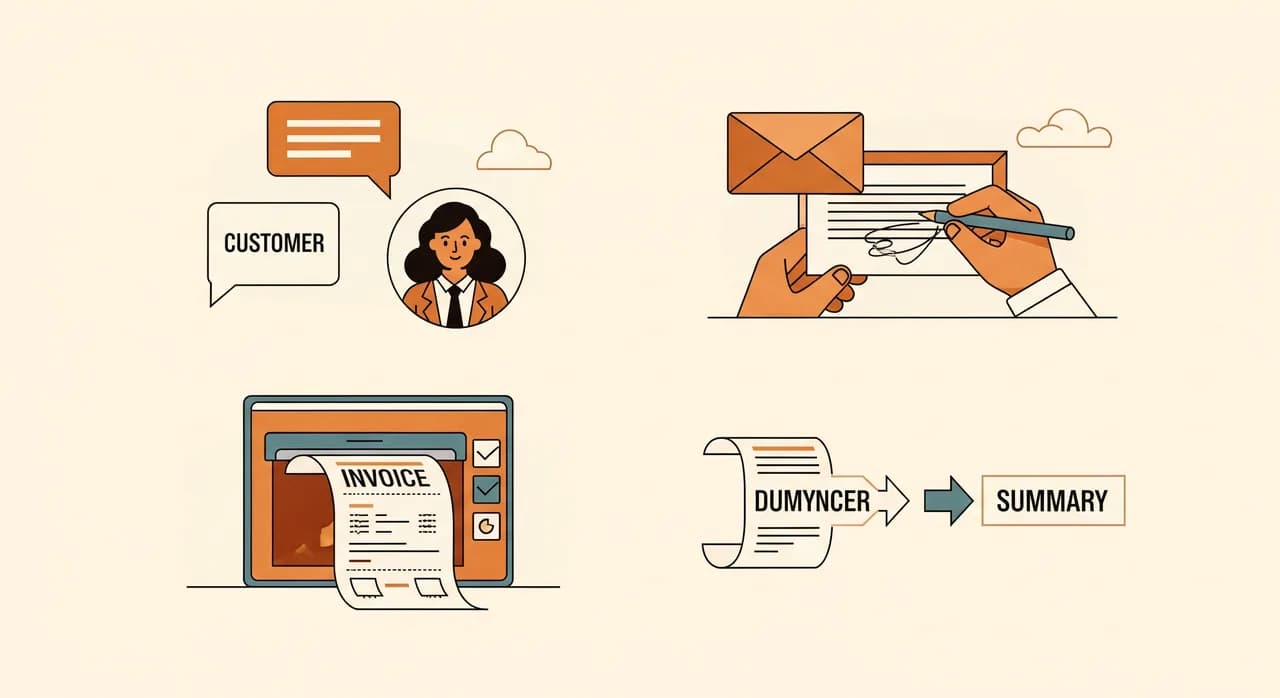
- Διάβασμα εισερχόμενων email ή μηνυμάτων και εξαγωγή των χρήσιμων στοιχείων (ποιος, τι, πότε, πόσο).
- Σύνταξη τυπικών απαντήσεων — προσφορών, επιβεβαιώσεων, υπενθυμίσεων — που ένας άνθρωπος ελέγχει και στέλνει.
- Απάντηση στις ίδιες συχνές ερωτήσεις πελατών, μέσω chat ή τηλεφώνου, όλο το εικοσιτετράωρο.
- Ταξινόμηση, επισήμανση και δρομολόγηση εγγράφων, φωτογραφιών ή τιμολογίων που φτάνουν χωρίς σταθερή μορφή.
- Μετατροπή μιας μακράς κλήσης, σύσκεψης ή αλληλουχίας μηνυμάτων σε σύντομη, δομημένη περίληψη.
- Εντοπισμός όσων ξεφεύγουν από έναν κουρασμένο άνθρωπο — ένα πεδίο που λείπει, ένα ασυνήθιστο νούμερο, ένα διπλότυπο.

Πώς να βρείτε τις υποψήφιες περιπτώσεις χρήσης
Δεν βρίσκετε την πρώτη σας περίπτωση χρήσης ΤΝ διαβάζοντας λίστες με τάσεις. Τη βρίσκετε προσέχοντας τη δική σας εβδομάδα. Οι καλύτεροι υποψήφιοι ήδη σας ενοχλούν — απλώς σταματήσατε να τους προσέχετε, επειδή ήταν πάντα εκεί.
Κάντε λοιπόν ένα μικρό, φθηνό πείραμα. Για μία συνηθισμένη εβδομάδα, κάθε φορά που εσείς ή κάποιος της ομάδας σας κάνετε κάτι επαναλαμβανόμενο που αφορά διάβασμα, γράψιμο ή απάντηση στο ίδιο πράγμα ξανά, σημειώστε το. Μη φιλτράρετε. Απλώς συλλέξτε. Αυτό που ψάχνετε είναι ένας συγκεκριμένος ήχος: ο αναστεναγμός που βγάζει κάποιος πριν από μια εργασία που έχει κάνει χίλιες φορές. Η ρεσεψιονίστ που ξαναπληκτρολογεί στοιχεία κράτησης από ένα email. Ο ιδιοκτήτης που απαντά στο «είστε ανοιχτά το Σάββατο;» για ένατη φορά σήμερα. Αυτοί οι αναστεναγμοί είναι η λίστα σας.
Ένας απλός τρόπος για βαθμολόγηση και επιλογή
Μόλις έχετε μια χούφτα υποψήφιους, χρειάζεστε έναν τρόπο να τους κατατάξετε που δεν απαιτεί σύμβουλο. Χρησιμοποιώ τρεις γρήγορες ερωτήσεις, καθεμία βαθμολογημένη από ένα έως πέντε. Είναι εσκεμμένα πρόχειρες — ο στόχος είναι η σαφήνεια, όχι η ακρίβεια.
- 1Πόσο συχνά συμβαίνει;Μια εργασία που επαναλαμβάνεται πολλές φορές την ημέρα αξίζει να αυτοματοποιηθεί. Μία που συμβαίνει δύο φορές τον χρόνο σχεδόν ποτέ — το κόστος εγκατάστασης δεν θα αποσβεστεί.
- 2Πόσο ανεκτική είναι σε μικρά λάθη;Η ΤΝ είναι λαμπρή αλλά όχι τέλεια. Προτιμήστε εργασίες όπου ένας άνθρωπος ρίχνει ακόμη μια ματιά στο αποτέλεσμα και όπου ένα περιστασιακό λάθος πιάνεται φθηνά — όχι εκείνες όπου ένα σφάλμα είναι ακριβό και δύσκολο να αναιρεθεί.
- 3Πόσο καθαρά μπορείτε να περιγράψετε το «έτοιμο»;Αν μπορείτε να γράψετε μία πρόταση — «κάθε τιμολόγιο προμηθευτή καταλήγει στο σύστημα με το σωστό ποσό και ημερομηνία» — η εργασία είναι έτοιμη. Αν δεν μπορείτε, δεν είναι ακόμη.
Πολλαπλασιάστε τις βαθμολογίες και η πρώτη σας περίπτωση χρήσης τείνει να αποκαλύπτεται μόνη της. Αλλά να η ανατροπή που τα περισσότερα πλαίσια παραβλέπουν: μη διαλέγετε αυτόματα την υψηλότερη βαθμολογία. Διαλέξτε την υψηλότερη βαθμολογία που μπορείτε ρεαλιστικά να ολοκληρώσετε σε τρεις με τέσσερις εβδομάδες. Ένα έργο μέτριας αξίας που παραδίδετε νικά ένα υψηλής αξίας που τραβάει σε μάκρος μέχρι να χάσουν όλοι την πίστη τους. Η ορμή είναι το περιουσιακό στοιχείο που προστατεύετε.
| Υποψήφια περίπτωση χρήσης | Αξία | Κίνδυνος αν σφάλει | Καλό πρώτο έργο; |
|---|---|---|---|
| Απάντηση σε επαναλαμβανόμενες ερωτήσεις πελατών | Υψηλή | Χαμηλός | Συχνά ναι |
| Σύνταξη τυπικών απαντήσεων email | Υψηλή | Χαμηλός (ελέγχει άνθρωπος) | Ναι |
| Ανάγνωση τιμολογίων στο σύστημά σας | Υψηλή | Μεσαίος | Ναι, με έλεγχο |
| Περίληψη κλήσεων ή συσκέψεων | Μεσαία | Χαμηλός | Ναι |
| Πλήρως αυτόνομες αποφάσεις τιμολόγησης | Υψηλή | Υψηλός | Όχι πρώτο |
| Αντικατάσταση όλης της ομάδας υποστήριξης | Υψηλή | Πολύ υψηλός | Όχι — και δεν είναι το ζητούμενο |
Τέσσερις περιπτώσεις χρήσης που γίνονται εξαιρετικά πρώτα έργα
Κάθε επιχείρηση είναι διαφορετική, αλλά μετά από αρκετά πρώτα έργα αρχίζεις να βλέπεις την ίδια χούφτα να αποδίδει ξανά και ξανά. Αυτές οι τέσσερις είναι επιεικείς, αποδεικνύονται γρήγορα και σπάνια απαιτούν να αλλάξετε το πώς λειτουργεί το υπόλοιπο της επιχείρησής σας. Δείτε τες ως λογικές προεπιλογές για συζήτηση, όχι ως εντολές.
Απάντηση στις ερωτήσεις που έχετε απαντήσει χίλιες φορές
Ωράριο, πού να παρκάρω, δέχεστε χωρίς ραντεβού, μπορώ να αλλάξω την ώρα. Κάθε επιχείρηση έχει έναν σωρό ερωτήσεις που φτάνουν ατελείωτα και έχουν παγιωμένες απαντήσεις. Ένας βοηθός ΤΝ εκπαιδευμένος στις πραγματικές σας απαντήσεις — στον ιστότοπο, στο chat, ακόμη και στο τηλέφωνο — τις χειρίζεται χωρίς να διακόπτεται κάποιος άνθρωπος. Είναι χαμηλού κινδύνου, γιατί η χειρότερη περίπτωση είναι ένας πελάτης που ενημερώνεται ευγενικά ότι θα τον καλέσει ένα άτομο, και η αξία είναι άμεση.
Σύνταξη των απαντήσεων που πληκτρολογείτε ξανά και ξανά
Αν τα μισά σας εισερχόμενα είναι παραλλαγές των ίδιων λίγων μηνυμάτων — προσφορές, επιβεβαιώσεις, διακριτικές υπενθυμίσεις — η ΤΝ μπορεί να διαβάσει το εισερχόμενο email και να παραγάγει ένα γερό πρώτο σχέδιο στη φωνή σας. Καθοριστικά, την αποστολή την κάνει ακόμη ένας άνθρωπος. Αυτό το βήμα με τον άνθρωπο στον βρόχο το κάνει ασφαλές πρώτο έργο: η ΤΝ κάνει το κουραστικό 80%, η ομάδα σας κρατά τον τελευταίο λόγο.
Ανάγνωση εγγράφων ώστε να μην τα πληκτρολογεί κανείς
Τιμολόγια, δελτία αποστολής, έντυπα παραγγελίας, αιτήσεις — φτάνουν σε εκατό ελαφρώς διαφορετικές διατάξεις, που είναι ακριβώς ο λόγος που αυτό ήταν επώδυνο να αυτοματοποιηθεί παλιά. Η σύγχρονη ΤΝ τα διαβάζει, εξάγει τα πεδία που μετράνε και τα ρίχνει στο σύστημά σας για έναν γρήγορο ανθρώπινο έλεγχο. Για κάθε επιχείρηση που πνίγεται στη γραφειοκρατία, αυτή είναι συχνά η πιο ικανοποιητική πρώτη νίκη.
Μετατροπή των μακρών σε σύντομα
Μια εικοσάλεπτη κλήση γίνεται πέντε κουκκίδες και μια επόμενη ενέργεια. Μια αλληλουχία σαράντα email γίνεται μια παράγραφος. Μια εβδομάδα σχολίων πελατών γίνεται τα τρία θέματα που αξίζει να αντιμετωπίσετε. Η περίληψη είναι διακριτικά μία από τις πιο πολύτιμες και χαμηλότερου κινδύνου χρήσεις της ΤΝ, και ταιριάζει άψογα στο πώς ήδη δουλεύετε.
Τι να μην επιλέξετε πρώτο (ακόμη κι αν δελεάζει)
Το να ξέρετε τι να αποφύγετε είναι εξίσου πολύτιμο με το να ξέρετε τι να επιλέξετε. Κάποιες περιπτώσεις χρήσης φαίνονται συναρπαστικές και θα βυθίσουν την πρώτη σας προσπάθεια. Κατά κανόνα, αποφύγετε οτιδήποτε όπου η ΤΝ παίρνει μια τελική απόφαση με πραγματικές συνέπειες και χωρίς άνθρωπο στον βρόχο — τουλάχιστον μέχρι να χτίσετε κάποια εμπιστοσύνη και εμπειρία.
“Η καλύτερη πρώτη περίπτωση χρήσης είναι αυτή για την οποία κανείς δεν θα σας αντιμιλήσει — μια εργασία που όλοι κρυφά ανακουφίζονται να παραδώσουν.”
Πώς μοιάζει αυτό στην πράξη
Ας το κάνω συγκεκριμένο με ένα σύνθετο παράδειγμα από έργα που έχω δει — οι λεπτομέρειες θολωμένες, η μορφή πιστή στην πραγματικότητα. Φανταστείτε μια τοπική εταιρεία υδραυλικών και θέρμανσης: μια δωδεκάδα άτομα, ο ιδιοκτήτης ακόμη στο πεδίο δύο μέρες την εβδομάδα, η συνεταίρος του να τρέχει το γραφείο. Ο πόνος τους δεν ήταν δραματικός. Ήταν η σταθερή ροή αιτημάτων για προσφορά που έφταναν με email, καθένα μια ελαφρώς διαφορετική περιγραφή εργασίας σε ελεύθερο κείμενο, καθένα χρειαζόταν κάποιον να το διαβάσει και να απαντήσει με μια λογική τιμή. Η συνεταίρος του περνούσε το μεγαλύτερο μέρος κάθε πρωινού σε αυτό — και τις πολυάσχολες μέρες της στο πεδίο, οι απαντήσεις επιβράδυναν δραματικά και ένα αισθητό μέρος των αιτημάτων απλώς κρύωνε.
Τι κάναμε στην πραγματικότητα
Δεν αγγίξαμε τίποτε άλλο στην επιχείρηση. Οριοθετήσαμε μία περίπτωση χρήσης: να διαβάζει κάθε εισερχόμενο αίτημα, να εξάγει τις βασικές λεπτομέρειες και να συντάσσει μια δομημένη πρώτη απάντηση — πιθανό αντικείμενο εργασίας, τις σωστές διευκρινιστικές ερωτήσεις, ένα ξεκάθαρο επόμενο βήμα — στο δικό της ύφος. Το προσχέδιο κατέληγε σε μια ουρά ελέγχου. Το διάβαζε, διόρθωνε μια-δυο γραμμές και έστελνε. Η ΤΝ ποτέ δεν έστειλε τίποτε μόνη της, και ποτέ δεν όρισε τελική τιμή· αυτό έμενε στον άνθρωπο, εκ σχεδιασμού. Η εγκατάσταση πήρε εβδομάδες, όχι μήνες, ακριβώς επειδή αρνηθήκαμε να διευρύνουμε το αντικείμενο, και την πρώτη εβδομάδα την τρέξαμε παράλληλα με τον παλιό τρόπο.
Το αποτέλεσμα
Μέσα σε έναν μήνα, η πρωινή αγγαρεία με τα email έπεσε σε ένα γρήγορο πέρασμα ελέγχου — ας πούμε περίπου μία ώρα την ημέρα να επιστρέφει στο γραφείο. Οι χρόνοι απόκρισης πήγαν από το «όποτε προλάβουμε» σε αυθημερόν και λιγότερες προσφορές κρύωναν. Αυτά είναι ενδεικτικά νούμερα, όχι εγγύηση — αλλά αυτό που μετράει είναι η κατεύθυνση, και είναι τυπική. Το πραγματικό έπαθλο δεν ήταν καν ο χρόνος. Ήταν ότι η συνεταίρος έπαψε να τρέμει τα εισερχόμενα, και ο ιδιοκτήτης άρχισε να ρωτά τι άλλο θα μπορούσαν να κάνουν έτσι. Αυτή η δεύτερη ερώτηση είναι όλος ο λόγος που ξεκινάς από κάτι μικρό.
Πώς να εφαρμόσετε την πρώτη σας περίπτωση χρήσης χωρίς χάος
Η επιλογή της σωστής περίπτωσης χρήσης είναι η μισή δουλειά. Η άλλη μισή είναι να την εντάξετε στην πραγματική εργάσιμη μέρα χωρίς δράμα. Αντιμετωπίστε τη ως ένα μικρό, αναστρέψιμο πείραμα, όχι ως εκτόξευση — και μόνο αυτή η νοοτροπία αποτρέπει τους περισσότερους τρόπους με τους οποίους στραβώνουν αυτά τα έργα.
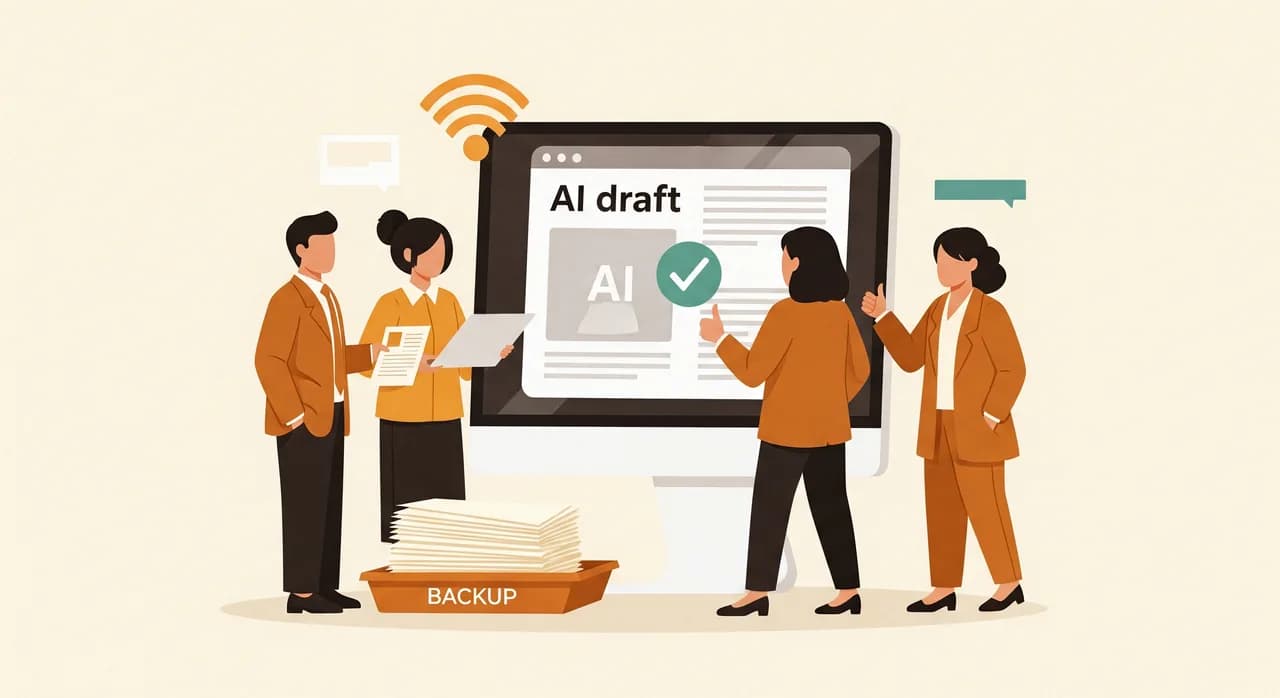
- 1Κρατήστε στην αρχή έναν άνθρωπο στον βρόχοΓια την πρώτη έκδοση, αφήστε την ΤΝ να συντάσσει, να προτείνει ή να ταξινομεί — και βάλτε έναν άνθρωπο να εγκρίνει. Μπορείτε να χαλαρώσετε τα ηνία αργότερα, μόλις την εμπιστευτείτε. Δεν ξαναχτίζετε εύκολα την εμπιστοσύνη που χάσατε την πρώτη μέρα.
- 2Τρέξτε την μαζί με τον παλιό τρόπο για μία εβδομάδαΜην αλλάξετε απότομα. Αφήστε την ΤΝ και τη χειροκίνητη διαδικασία να τρέχουν παράλληλα ώστε να πιάνετε τις περίεργες περιπτώσεις χωρίς κανέναν πραγματικό κίνδυνο αν κάτι δεν πάει καλά.
- 3Ορίστε της έναν συγκεκριμένο υπεύθυνοΜια αυτοματοποίηση χωρίς υπεύθυνο σαπίζει σιωπηλά. Ένα άτομο την παρακολουθεί, δέχεται τα πρώτα παράπονα και αποφασίζει τι να προσαρμόσει. Δεν χρειάζεται να είστε εσείς — πρέπει να είναι κάποιος.
- 4Γράψτε το σημείωμα «όταν πάει στραβά»Τρεις γραμμές: τι κάνει αυτό, σε ποιον να το πεις αν αστοχήσει, τι να κάνεις χειροκίνητα στο μεταξύ. Αυτό το ένα σημείωμα μετατρέπει ένα έξυπνο πείραμα σε κάτι στο οποίο η ομάδα σας θα στηριχτεί πραγματικά.
Τότε — και μόνο τότε — επιστρέψτε στη βαθμολογημένη σας λίστα και διαλέξτε την επόμενη. Αυτή είναι όλη η μέθοδος, και είναι σχεδόν απογοητευτικά απλή: μία περίπτωση χρήσης, ολοκληρωμένη, αξιόπιστη, επαναλαμβανόμενη. Κάντε το τρεις-τέσσερις φορές μέσα σε έναν χρόνο και έχετε διακριτικά χαρίσει στην επιχείρησή σας το ισοδύναμο ενός επιπλέον ζευγαριού χεριών, χωρίς να προσλάβετε κανέναν ή να ποντάρετε τα πάντα σε μια πλατφόρμα που θα αξιοποιήσετε μισή.
Δεν είστε σίγουροι ποια περίπτωση χρήσης είναι η δική σας;
Το πιο δύσκολο είναι συνήθως η πρώτη απόφαση — και είναι η φθηνότερη για να την πετύχετε. Θα κοιτάξουμε μαζί την εβδομάδα σας και θα δείξουμε τη μία περίπτωση χρήσης ΤΝ που πραγματικά αξίζει να ξεκινήσετε, χωρίς καμία δέσμευση να χτίσετε οτιδήποτε.
Ας συζητήσουμε την πρώτη σας περίπτωση χρήσης ΤΝΣυχνές ερωτήσεις
Πώς ξέρω αν μια εργασία είναι για ΤΝ ή για απλή αυτοματοποίηση;
Πόσο κοστίζει μια πρώτη περίπτωση χρήσης ΤΝ;
Είναι η επιχείρησή μου πολύ μικρή για ΤΝ;
Θα κάνει λάθη η ΤΝ, και τι γίνεται όταν κάνει;
Να περιμένω να βελτιωθεί η ΤΝ πριν ξεκινήσω;

Η Have a nice day είναι ένα studio λογισμικού που βοηθά μικρές και μεσαίες επιχειρήσεις να ψηφιοποιηθούν — αυτοματισμός, τεχνητή νοημοσύνη και λογισμικό κατά παραγγελία που λειτουργεί στην καθημερινή λειτουργία, όχι μόνο σε διαφάνειες.