How to Tell Which of Your Processes Are Actually Ready for AI
Not every task is a good candidate for AI — and picking the wrong one is how small businesses waste a year and a budget. Here's a calm, practical way to map your work and find the processes that are genuinely ready.
 Have a nice day14 min read
There's a strange pressure in the air right now. Everyone you talk to is "doing something with AI," the trade magazines are full of it, and somewhere in the back of your mind a voice keeps saying you should be too. So you go looking for a process to automate — and that's exactly where it goes wrong. You don't start by hunting for a place to put AI. You start by understanding your own work well enough to see where AI would actually fit. Those are two completely different projects, and only one of them ends well.
I spend a lot of my time being the person who talks owners out of their first AI idea. Not because the idea is stupid — usually it's the flashiest, most visible part of the business, which is exactly why it caught their eye — but because it's almost never the part that's ready. Readiness is a quieter quality. It has nothing to do with how impressive a task looks and everything to do with how predictable, well-documented and high-volume it is underneath.
So this guide isn't a list of "10 things to automate with AI." Those lists are useless because they don't know your business. Instead it's a way of looking — a method for mapping what you actually do all day and spotting, with some honesty, which of those processes are ripe and which are traps. Get the looking right and the tool almost chooses itself.
What "ready for AI" actually means
Let's define the word, because everyone uses it loosely. A process is ready for AI when three things are true at once: it happens often, it follows a recognisable pattern even if the inputs are messy, and someone can describe how a good outcome looks. Miss any one of those and you're not automating, you're gambling.
Notice what's not on that list: difficulty, prestige, or how modern it feels. A task can be technically complex and still a terrible candidate because it only happens twice a year. Another can be almost embarrassingly simple — sorting incoming emails into three buckets — and be perfect, because it happens four hundred times a week and follows a pattern a child could learn.
“Readiness isn't about how impressive the task is. It's about how often it repeats, how clear the pattern is, and whether anyone can say what "done well" looks like.”
There's a fourth, unglamorous condition that quietly decides everything: is the input even reachable? If the information your AI needs lives only in someone's head, or in a paper folder, or scattered across three apps that don't talk, the process isn't ready — not because AI can't handle it, but because you haven't given it anything to handle. A surprising number of "AI projects" are really data-access projects wearing a costume.
Map the work before you map the AI
You cannot judge readiness from memory. Owners are wonderfully, consistently wrong about where their time goes — everyone overestimates the dramatic crises and underestimates the steady drip of small repetitive tasks that actually eats the week. So before any decision, you map. And mapping is far less intimidating than the word suggests.
For one week, you and your team write down the recurring tasks as they happen — not a time-and-motion study, just a running list. For each one, jot three things: roughly how often it happens, what comes in (an email, a form, a call, a photo), and what should come out (an entry in a system, a reply, a document). That's it. By Friday you'll have something most businesses have never had: an honest inventory of their own repetitive work.
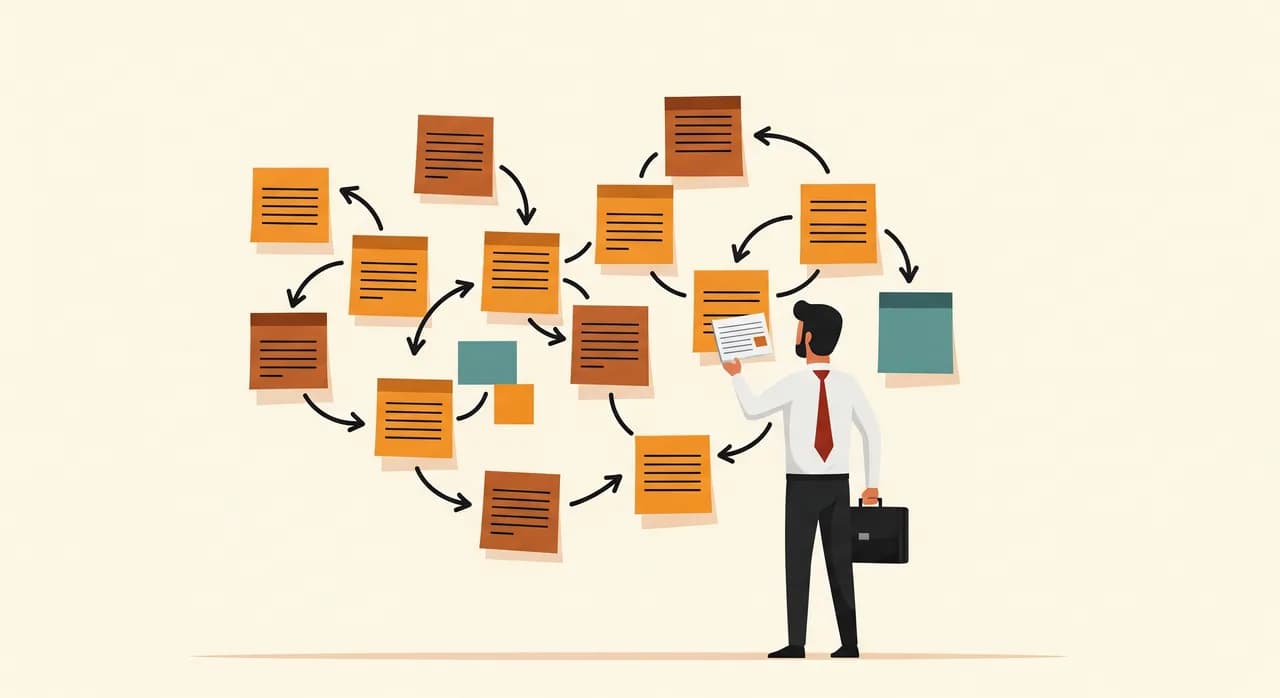
Once it's on paper, patterns jump out that were invisible inside the daily rush. You'll see the same information being typed into two systems. You'll see a person acting as a human router — reading things and deciding where they go. You'll see questions that get the same answer every time. Each of those is a candidate, and now you can weigh them against each other instead of falling for whichever one shouted loudest this morning.
A readiness score you can run yourself
With your inventory in hand, you need a way to rank candidates that doesn't depend on a consultant's gut. I use a simple five-factor score. Rate each process from 1 to 5 on each factor, add them up, and the high scorers float to the top. It isn't precise science — it's a way to make a fuzzy decision visible and arguable.
- Frequency — how often does it happen? Daily beats monthly beats yearly. Volume is what pays back the setup cost.
- Consistency — does it follow the same steps each time, or is every case a special case? Patterns are automatable; chaos isn't.
- Clear outcome — can someone write one sentence describing a good result? If not, no tool can hit a target nobody defined.
- Data access — is the input already in a digital, reachable form? Or trapped in heads, paper and disconnected apps?
- Low cost of error — if it occasionally gets one wrong, is that a shrug or a disaster? Start where mistakes are cheap and reversible.
What you'll usually find is that the highest scores cluster around the dull, high-volume middle of your business — the document handling, the data shuffling, the repetitive correspondence. The glamorous idea you came in with often scores low on consistency or data access, which is exactly why it wasn't ready. That's not a failure. That's the map doing its job.
The patterns AI is genuinely good at
Modern AI is not magic and it's not general intelligence in a box. It's startlingly good at a specific, recognisable set of shapes — and once you can name those shapes, you start spotting them all over your own operation. Here are the four that come up again and again in small businesses.
Reading messy input and pulling out structure
A customer emails in free text — "hi, can I move my Tuesday order to 12 units and ship to the new warehouse" — and someone has to read it and turn it into structured actions. AI is excellent at this: reading unstructured human language and extracting the order, the quantity, the address, the intent. Invoices, forms, emails, photos of delivery notes — anywhere a human currently reads then types, there's a strong candidate.
Sorting and routing
Lots of small-business work is really triage: this email is a complaint, that one's a sales lead, this one's a supplier invoice. A person opens each, decides, and forwards. AI handles this classification well, and it's a beautiful first project because mistakes are cheap — a misrouted email is annoying, not catastrophic, and a human still sees everything downstream.
Drafting a first version
Replying to routine enquiries, writing a quote follow-up, summarising a long thread — AI is strong at producing a solid first draft a human then approves. The key word is draft. The most reliable AI processes in a small business keep a person at the final gate, where their judgement is worth most and their time is wasted least.
Handling repetitive conversation
Answering the same handful of questions — opening hours, availability, "do you do X" — by phone or chat, around the clock, so your team isn't interrupted mid-task. This is genuine, modern capability that simply didn't exist a few years ago, and it shines precisely where the questions are predictable and the stakes are low.
The tempting traps — processes that look ready but aren't
Just as useful as knowing the good shapes is knowing the seductive ones — the processes that feel like obvious AI candidates and will quietly sink your first attempt. They share a common trait: they look impressive, which is exactly what makes them dangerous.
There's a subtler trap, too: the process that looks consistent from the owner's chair but is actually held together by undocumented human judgement. The veteran employee who "just knows" which orders to prioritise isn't following a rule you can hand to a machine — they're applying twenty years of context. Automate that prematurely and you don't get efficiency, you get confident, fluent mistakes. The fix isn't to give up; it's to first make the hidden rules explicit, and only then decide what to automate.
“The most dangerous process to automate is the one a single experienced person holds in their head. First get the knowledge out of the head. Then talk about AI.”
Does it even need AI? Often the answer is no
I run an AI practice and I'll still tell you this plainly: a large share of the processes that score highest on readiness don't need AI at all. An appointment reminder that fires two hours ahead is a rule with a clock. Moving order data from a form into your system is a pipe between two tools. Calling that "AI" is marketing, and paying AI prices for it is a waste.
The honest dividing line is whether the task involves understanding. If the input is structured and the steps are fixed, you want plain automation — cheaper, faster, more predictable, easier to trust. AI earns its keep precisely where there's messy human language, images or genuine ambiguity to interpret. Most businesses need a great deal of the first kind and a careful sprinkling of the second.
What this looks like in practice
Let me make it concrete with a composite drawn from several real engagements — details blurred, shape true to life. Picture a mid-sized supplier, maybe twenty people, who came to us certain they wanted an "AI sales assistant" to chase leads. Exciting, visible, board-friendly. We asked to run the mapping week first.
The map told a different story. The sales idea scored badly: low volume, every deal a special case, no clear definition of a good outcome, and the crucial context living entirely in two salespeople's heads. Meanwhile, an unglamorous process they'd never mentioned was lighting up the score sheet — incoming supplier invoices. Several hundred a month, arriving as PDFs and email attachments in a dozen layouts, each one read by hand and re-typed into the accounting system. High frequency, recognisable pattern, clear outcome, digital input, and a cheap, easily-checked cost of error.
- 1We started where the score pointed, not where the excitement wasInvoice extraction, not the sales assistant. Less thrilling on a slide, far more ready in reality.
- 2We ran it in parallel for a few weeksAI read each invoice and proposed the structured entry; a person still approved every one. Nothing switched off, nothing at risk.
- 3We measured the boring numberTime per invoice dropped sharply once people trusted the draft and were only correcting the rare odd one out, rather than typing every field.
- 4Only then did we look at sales againWith a real win banked and the team's trust earned, we went back — and first made the salespeople's hidden rules explicit before automating anything.
These are illustrative figures, not a guarantee — but in that engagement the invoice process went from roughly six or seven minutes of human handling each to under one, with fewer transposition errors, not more. The numbers matter less than the lesson: the process that was ready was the one nobody walked in asking about. The map found it. Enthusiasm never would have.
Turning the map into a sensible order
Mapping gives you candidates; the score ranks them; but the final move is sequencing. You don't do everything at once — that's the classic way to do nothing well. You pick the single best finishable candidate, ship it, let the team feel it, and only then reach for the next. The order matters as much as the choices.
A good first project is high-readiness and low-risk — somewhere a mistake is a shrug, not a crisis. It builds the one thing every later project depends on: trust. Once your team has watched a tedious job quietly shrink without anything blowing up, they stop resisting and start handing you the next candidate themselves. That shift, from you pushing automation to them pulling it, is the real return on a well-chosen start.
Want a second pair of eyes on your processes?
The mapping is something you can do yourself — but a guided session usually surfaces the ready process faster, and saves you from the tempting traps. We'll look at your week together and point at what's genuinely ready, with no obligation to build anything.
See how we map processes for AICommon questions
How do I know if a process is suitable for AI automation?
What's the difference between AI automation and regular automation?
Should I start with the most impressive process?
What if our processes aren't documented at all?
How long does it take to see results from AI automation?

Have a nice day is a software studio that helps small and mid-sized businesses go digital — automation, AI and custom software that works in everyday operations, not just on slides.