From Receipt to Bookkeeping: How AI Invoice Processing Actually Works
Crumpled receipts, PDF invoices and supplier emails don't sort themselves. Here's a clear, honest walk through every step an AI invoice pipeline takes — and where it still needs a human in the loop.
 Have a nice day14 min read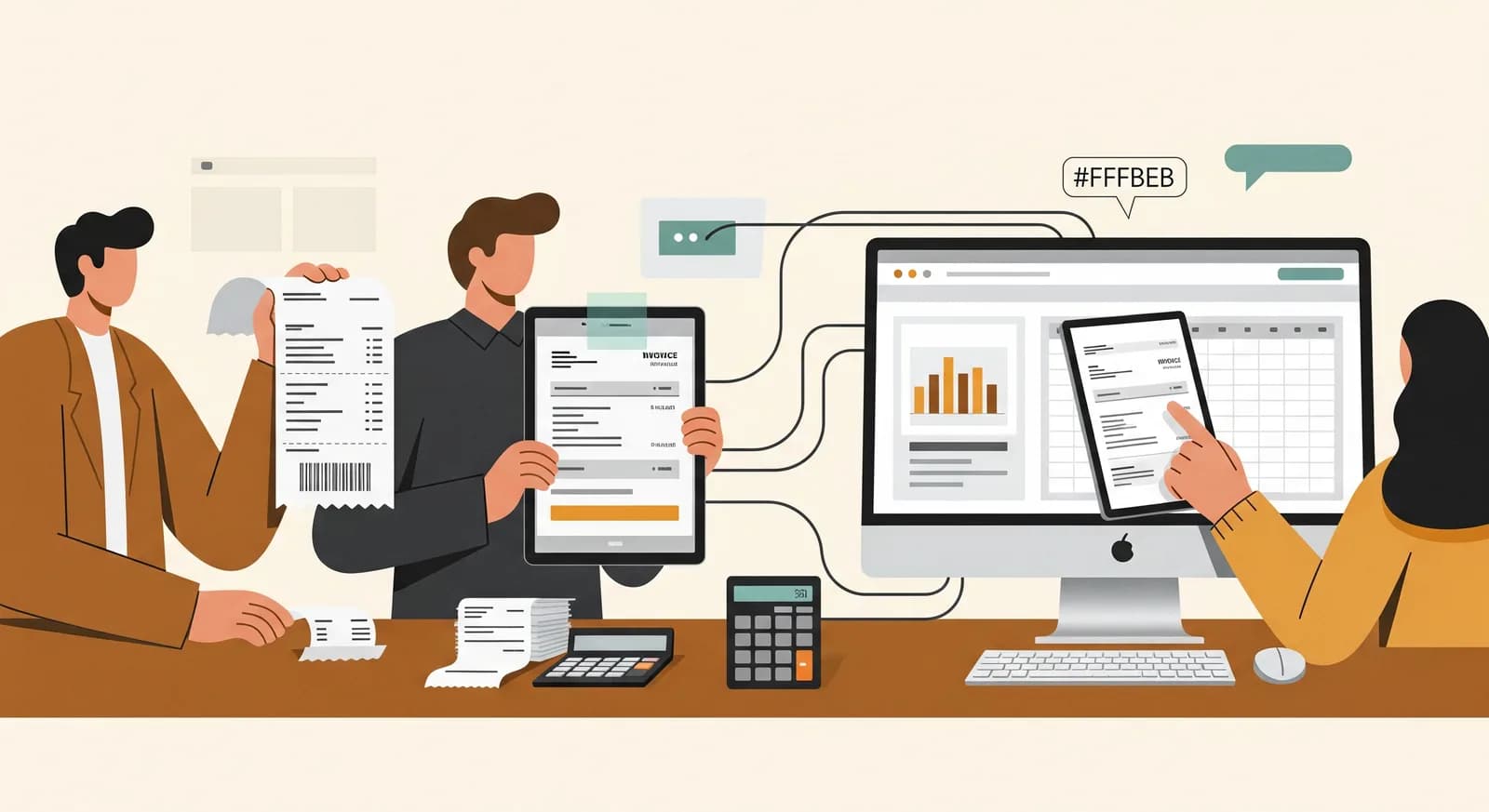
Nobody starts a business because they love typing invoice numbers into accounting software. Yet there it is, every month: a fat envelope of receipts, a folder of PDF invoices, a handful of supplier emails, and an evening you'll never get back keying it all in by hand. AI can take most of that off your plate now — genuinely, not as a demo. But only if you understand what it's actually doing at each step, and where it still needs you.
I've set up invoice automation for a fair number of small businesses, and the conversation always opens the same way. The owner has seen an ad promising that AI will "do your bookkeeping" and they're either wildly optimistic or deeply suspicious. The truth sits in the middle. Modern tools can read a crumpled receipt and a structured e-invoice with equal ease, pull out the numbers that matter, and drop them into your books in a fraction of the time. What they can't do is replace the judgement that keeps your accounts correct and your accountant calm.
So this guide does something the ads won't: it walks you through the whole pipeline, step by step, from the moment a receipt lands in your hand to the moment it's a clean line in your bookkeeping. No magic, no jargon. Just what happens, why each stage matters, and the honest places a human still belongs.
Why invoice entry hurts more than it should
On paper, entering an invoice is trivial: read a few numbers, type them in, file the document. The pain isn't any single invoice — it's the volume and the variety. A small business deals with dozens of suppliers, and every one of them lays out their invoice differently. The total is bottom-right on one, top-left on another. The VAT is broken into three rates on a wholesaler's bill and missing entirely on a foreign one.
Then there's the format chaos. Some arrive as tidy PDFs, some as photos of paper, some as a line in the body of an email, some as structured e-invoices in a format you've never heard of. A human brain handles all of this without thinking, which is exactly why it feels like such a waste of a human brain to do it. It's high-friction, low-value work — the textbook candidate for automation, and the reason invoice processing is one of the most common first projects we're asked to build.
“The problem was never reading one invoice. It's reading three hundred of them, each laid out by someone who never imagined you'd have to.”
The pipeline, end to end
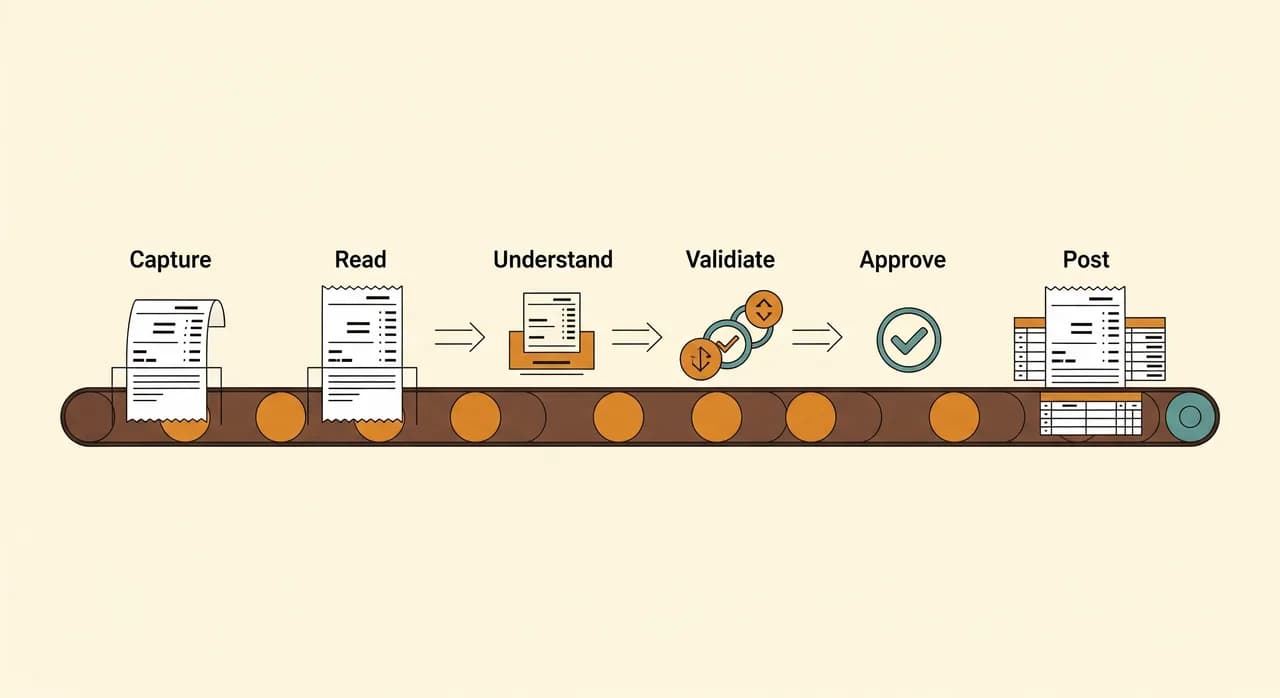
Before we go stage by stage, here's the shape of the whole thing. A good AI invoice pipeline isn't one clever model doing everything — it's a short assembly line, where each station does one job well and hands off to the next. Understanding the line is what lets you tell a serious tool from a flashy one.
- Capture — the document gets into the system, however it arrived.
- Read — the text and structure are extracted from the image or file.
- Understand — the AI works out which number is the total, the date, the VAT, the supplier.
- Match and validate — the data is checked against what you already know.
- Approve — a human signs off on anything uncertain.
- Post — the clean record lands in your bookkeeping or accounting software.
Notice that "approve" sits near the end, not the beginning. That placement is the whole philosophy: let the machine do the heavy lifting on every invoice, and reserve your attention for the handful that genuinely need it. Get that balance right and the work shrinks from hours to minutes. Get it wrong — by either trusting blindly or checking everything — and you've gained nothing.
Step 1: Capture — getting the document in
The first stage is the most boring and the most underrated. If capturing a receipt is annoying, nobody does it, and the slickest AI in the world has nothing to chew on. So the goal here is to make capture so frictionless it happens by reflex. In practice that means a few parallel doors into the system.
A phone photo for the receipt someone got at the petrol station. A dedicated email address that suppliers can send PDFs to directly, so invoices arrive without anyone touching them. A drag-and-drop folder for the batch that built up. And, increasingly, a direct feed for structured e-invoices, which more and more suppliers and public bodies now require. The point isn't to pick one channel — it's to accept whatever shows up, wherever it shows up.
Step 2: Read — turning pixels into text
Once a document is in, the system has to actually read it. For a photo or a scanned PDF, that means OCR — optical character recognition — turning the picture of text into real, machine-readable characters. This technology has been around for decades, but it's quietly become far more reliable, even on the faded thermal receipts that used to defeat it.
For structured files — a proper e-invoice or a digital PDF with a text layer — this step is easier, because the text is already there to be lifted out cleanly. A well-built pipeline notices the difference and takes the easy path when it can. There's no point running image recognition on a file that already hands you the numbers.
It's worth being clear-eyed here: reading is where the rare hard failures live. A receipt that went through the wash, a photo taken in a dark van, a fax-quality scan from a supplier still living in 1998 — these can produce garbled text. A good system flags low-confidence reads rather than guessing, which matters enormously for the next steps. You want a tool that says "I'm not sure about this one," not one that silently invents a number.
Step 3: Understand — finding the numbers that matter
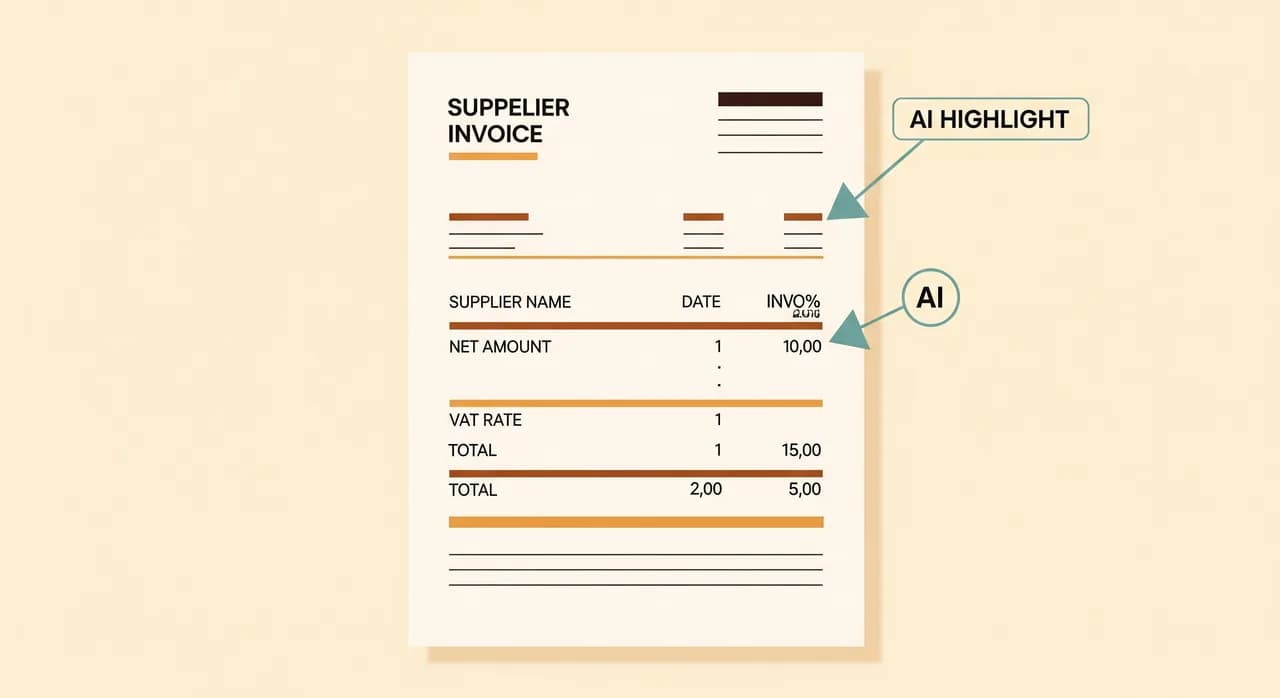
Here's where modern AI changes the game, and where older tools fell down. Reading the text off an invoice is only half the job. The hard part is understanding it: out of all those words and numbers, which one is the total? Which is the net, which the VAT, and at what rate? What's the invoice date versus the due date? Who is the supplier, and is it one you've dealt with before?
Old systems relied on rigid templates — "the total is always 40mm from the top of this supplier's invoice." That worked until the supplier redesigned their invoice, and then it broke silently. Today's AI reads an invoice more like a person does: it understands that a number labelled Gesamtbetrag, Total or Amount due is probably the total, wherever it sits on the page and whatever language it's in. That flexibility is the single biggest reason this finally works for messy, multi-supplier reality.
Step 4: Match and validate — catching the mistakes
Extracting data isn't the finish line, because extracted data can still be wrong. The validation step is the quiet hero of a good pipeline: it checks the AI's work against everything else the system knows, and it's the difference between automation you can trust and automation you have to babysit.
The simplest checks are arithmetic. Does net plus VAT actually equal the total? If not, something was misread, and the invoice gets flagged before it ever reaches your books. Then come the consistency checks: is this supplier already in your records, with a known bank account and tax number? Is this invoice a duplicate of one you paid last week — a classic, expensive mistake that automation catches effortlessly? Does the amount look wildly out of line with what this supplier usually bills?
For accounts payable specifically, this is also where matching happens — lining an invoice up against the purchase order and the delivery note, so you only pay for what you actually ordered and received. Even in a small business without formal purchase orders, a lightweight version of this logic catches the worst errors before money moves.
Step 5: Approve — the human in the loop
This is the step the breathless ads pretend doesn't exist, and it's the one I'd defend hardest. A well-designed pipeline doesn't ask a human to check everything — that would defeat the purpose. It asks a human to check only the invoices the system isn't confident about, or the ones that crossed a threshold you set, like anything above a certain amount.
In day-to-day use, this means most invoices flow straight through, and a small minority land in a review queue with the uncertain field already highlighted. The reviewer isn't re-typing anything — they're glancing, confirming or correcting one detail, and moving on. The aim is a thirty-second sanity check, not a re-entry of the whole document. Done right, your accounts person goes from typing for three hours to reviewing for twenty minutes.
“The goal isn't zero humans. It's humans spending their attention only where it actually changes the outcome.”
Step 6: Post — into the books
The final stage takes the clean, validated, approved record and writes it where it belongs: your accounting or bookkeeping software. A good integration doesn't just dump the total — it maps the invoice to the right expense account, applies the correct VAT treatment, attaches the original document for your records, and marks it ready for payment or already paid.
This is also the step where your accountant quietly becomes your biggest ally. A pipeline that posts data in the structure they want — correct accounts, correct tax codes, original documents attached — saves them hours and saves you their fees. Before you build anything, a short conversation with whoever does your books is worth more than any feature comparison. They'll tell you exactly what "clean" means for your business.

What it won't do (and shouldn't pretend to)
Let's be honest about the limits, because honesty is what keeps these projects from disappointing. AI invoice processing makes data entry nearly disappear. It does not replace your accountant, and it won't make tax decisions for you. The judgement calls — how to categorise an unusual expense, whether something is deductible, how to handle a tricky cross-border VAT case — still belong to a professional.
It also won't fix a chaotic process underneath it. If receipts vanish before anyone photographs them, or suppliers are entered three different ways in your system, automation just moves the mess faster. The pipeline is brilliant at handling messy documents; it can't paper over a messy process. A little tidying up before you automate pays for itself many times over.
| Task | Handled by AI | Still needs a human |
|---|---|---|
| Reading numbers off a receipt | Yes | Only when flagged |
| Spotting duplicates and arithmetic errors | Yes | No |
| Categorising an unusual expense | Suggests | Confirms |
| Tax and deductibility decisions | No | Yes — your accountant |
| Approving a large or odd invoice | Flags it | Yes |
| Fixing a broken receipt-capture habit | No | Yes — that's a process fix |
How to start small
You don't have to automate the entire accounts function on day one — and you shouldn't. The reliable way in is to start with one stream of documents you understand well, prove the pipeline on it, and expand from there once your team trusts it.
- 1Pick one document typeStart with, say, supplier invoices from your top ten vendors. A narrow, well-understood stream is far easier to get right than "everything at once."
- 2Fix capture firstSet up the easiest possible way to get those documents in — an email address, a phone photo, a folder. If capture is painful, nothing downstream matters.
- 3Run it in parallel for a monthLet the pipeline process invoices alongside your normal method. Compare results, find the edge cases, build trust before you rely on it.
- 4Talk to your accountant earlyAsk exactly how they want data posted. Building to their structure from the start saves rework and fees later.
- 5Expand once it's boringly reliableAdd receipts, then expenses, then other suppliers. Each new stream is easier than the last because the pipeline already exists.
This is the same restrained approach we'd take with any automation: one clear target, finished and trusted, before the next. Invoice processing just happens to be one of the most satisfying first projects, because the pain is so concrete and the relief is so immediate. The pile on the desk is a problem everyone in the building can see — and watching it disappear is the kind of win that earns you permission to automate the next thing.
Drowning in receipts and PDFs?
If invoice entry is eating your evenings, this is one of the clearest automation wins there is. We'll look at how your documents actually arrive and map out a pipeline that fits your books — and your accountant — before anything gets built.
See how we handle invoice processingCommon questions
Does AI invoice processing work on crumpled paper receipts and phone photos?
Will this replace my accountant?
Can it handle invoices in different languages and layouts?
How does it catch duplicate or fraudulent invoices?
How much of my accounts work can realistically be automated?

Have a nice day is a software studio that helps small and mid-sized businesses go digital — automation, AI and custom software that works in everyday operations, not just on slides.