RPA kontra AI-automatisering: hva en liten bedrift faktisk bør velge
To ord brukes som om de betyr det samme — RPA og AI-automatisering. Det gjør de ikke, og å velge feil sløser bort ekte penger. Her er forskjellen på vanlig norsk, og hvordan du velger for en bedrift på din størrelse.
 Have a nice day13 min lesing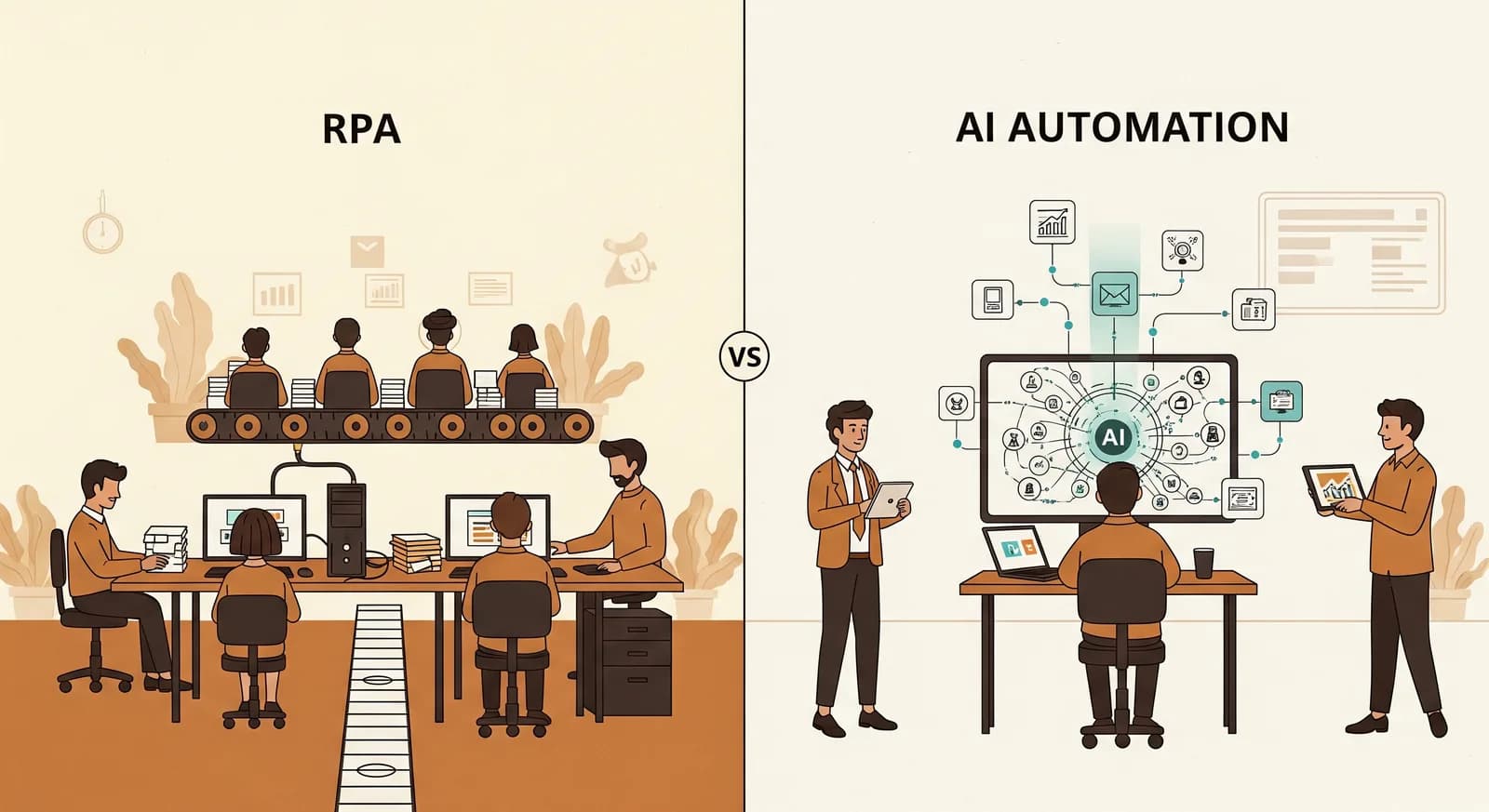
Hvis du har begynt å se på å automatisere en del av bedriften din, har du sannsynligvis støtt på to begreper som brukes som om de betyr det samme: RPA og AI-automatisering. Det gjør de ikke. Det ene er en utrettelig robot som følger de nøyaktige instruksjonene dine og aldri improviserer. Det andre leser, vurderer og håndterer rot. Velg feil til en oppgave, og du betaler enten for intelligens du ikke trenger, eller kjøper en stiv robot til en jobb som krever hjerne. Dette er versjonen på vanlig norsk av den beslutningen, skrevet for en bedrift med en håndfull mennesker snarere enn en IT-avdeling.
Jeg har sett eiere av små bedrifter få begge solgt, og det dårlig. Noen kommer inn overbevist om at de trenger "AI" for å kopiere ordrenumre fra én skjerm til en annen — en jobb en enkel regel ville gjort raskere og billigere. En annen prøver å tvinge en stiv, regelstyrt robot til å lese rotete kunde-e-poster, og bruker så seks måneder på å lappe unntak til hele greia kollapser. I nesten alle tilfeller var ikke problemet teknologien. Det var å matche feil verktøy til oppgavens form.
Så før du melder deg på noe med en gratis prøveperiode og en selvsikker selger, er det verdt tjue minutter å forstå hva disse to tingene reelt er, hvor hver av dem briljerer, og hvor hver av dem stille faller fra hverandre. Du trenger ikke bli teknisk. Du må bare kjenne igjen hvilken type problem du faktisk har.
Hva RPA faktisk er, uten moteordene
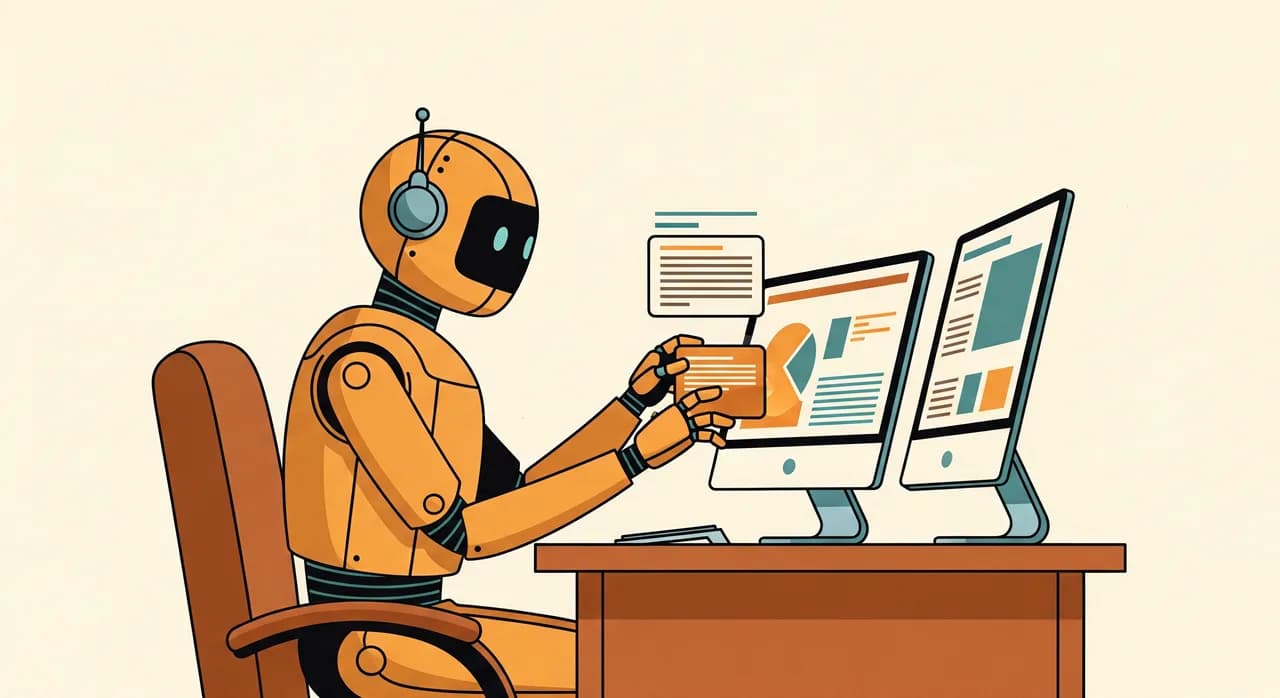
RPA står for Robotic Process Automation (robotisert prosessautomatisering), som høres langt mer dramatisk ut enn det er. Det finnes ingen fysisk robot. Se for deg en veldig rask, veldig lydig assistent som sitter ved en datamaskin og gjør nøyaktig det du viste — klikk her, kopier dette feltet, lim det inn der, trykk lagre, gjenta — tusenvis av ganger uten kaffepauser eller skrivefeil. Det er RPA. Den hermer etter klikkene og tastetrykkene et menneske ville gjort, i programvaren du allerede bruker.
Det definerende trekket ved RPA er at den følger regler du definerer på forhånd. Hvis en ny faktura kommer inn, ta totalbeløpet fra denne boksen, legg det i den kolonnen i regnearket, og send så en e-post til teamet. Den er strålende til jobber som skjer på samme måte hver eneste gang. Den er også helt bokstavelig: den gjør nøyaktig det du sa, selv når det du sa er litt feil, og den aner ikke om resultatet gir mening.
“RPA er en utrettelig praktikant som følger instruksjoner perfekt og stiller spørsmål ved ingenting. Det er superkraften og svakheten dens i samme setning.”
Klassiske RPA-jobber i en liten bedrift ser slik ut: flytte data mellom to systemer som ikke snakker sammen, hente tall inn i den samme ukerapporten, overføre ordrer fra en nettbutikk til regnskapsprogramvare, oppdatere lagernivåer på tvers av plattformer. Kjedelig, repetitivt, regelformet arbeid. Hvis du kan skrive ned de nøyaktige trinnene og de aldri egentlig endrer seg, så spiser RPA — eller dens lettere, billigere fettere — den oppgaven til frokost.
Hva AI-automatisering gjør annerledes
AI-automatisering begynner der stive regler går tom for vei. I stedet for å følge et fast manus jobber den med forståelse — den kan lese en fritekst-e-post og regne ut hva kunden faktisk vil ha, se på en fotografert kvittering og trekke ut tallene, sortere rotete dokumenter i riktig bunke, eller skissere et fornuftig førstesvar i din tone. Den typen arbeid som før krevde et menneske nettopp fordi ingen to saker så like ut.
Forskjellen som betyr noe for deg er toleranse for rot. RPA trenger at verden er ryddig og forutsigbar. AI-automatisering klarer seg når inndataene er menneskelige — en litt annerledes e-post hver gang, en håndskrevet lapp, et spørsmål formulert på fem forskjellige måter. Den gjør en vurdering snarere enn å følge en streng instruksjon. Den fleksibiliteten er genuint kraftfull, og det er derfor "AI" får så mye oppmerksomhet. Men den kommer med en hake verdt å kjenne til fra begynnelsen.
AI-automatisering er heller ikke en magisk oppgradering av RPA, selv om noen leverandører selger den slik. Det er et annet verktøy med andre styrker. De smarteste oppsettene for små bedrifter jeg har bygget bruker begge — AI til å lese og bestemme om det rotete, vanlige regler til å utføre de forutsigbare trinnene etterpå. Mer om den kombinasjonen straks.
RPA kontra AI-automatisering, side om side
Det er enklere å velge når du kan se de to ved siden av hverandre. Her er den ærlige sammenligningen — ikke markedsføringsversjonen, men den jeg ville gitt en venn som eier en butikk.
| RPA (regler) | AI-automatisering | |
|---|---|---|
| Best til | Repetitive, identiske trinn | Rotete, språk- eller bildeformede inndata |
| Hvordan den bestemmer | Følger faste regler du definerer | Gjør en vurdering ut fra mønstre |
| Håndterer overraskelser | Dårlig — bryter sammen ved det uventede | Bra — tilpasser seg variasjon |
| Forutsigbarhet | Total: samme resultat hver gang | Høy, men ikke garantert |
| Typisk kostnad | Lavere å sette opp og drive | Høyere, men faller raskt |
| Trenger en menneskelig sjekk? | Bare for grensetilfeller | Ja, der feil er dyre |
Les den tabellen én gang, og et mønster hopper frem. RPA vinner på kostnad og forutsigbarhet for strukturert arbeid. AI vinner på fleksibilitet for ustrukturert arbeid. Spørsmålet er aldri "hvilken er mer avansert" — AI er det åpenbart — men "hvilken form har oppgaven min". En påminnelse som utløses to timer før en avtale er strukturert til margen; å bruke AI til den er som å leie en oversetter til å lese opp en klokke.
Hvordan velge: en test du kan gjøre i hodet
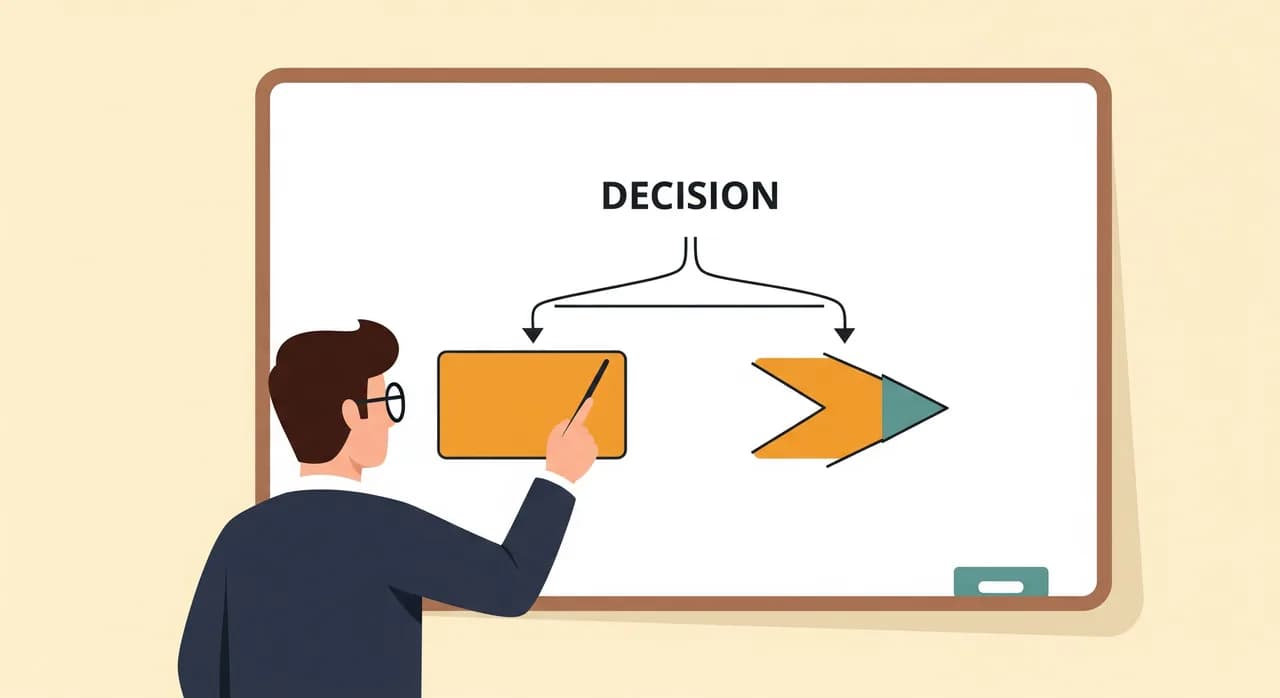
Du trenger ingen konsulent for å ta den første avgjørelsen. Ta oppgaven som irriterer deg, og still ett spørsmål: kan jeg skrive ned de nøyaktige trinnene, og forblir de de samme hver gang? Hvis ja, er du på regelterreng — RPA eller enklere automatisering. Hvis trinnene endrer seg avhengig av hva et menneske sendte deg, eller inndataene er fritekst, bilder eller vurdering, er du på AI-terreng.
- 1Beskriv oppgaven i trinnSkriv den ned som om du lærte opp en nyansatt. Hvis du kan liste opp de nøyaktige klikkene og de aldri varierer, er det et sterkt RPA-signal.
- 2Sjekk hvor rotete inndataene erKommer hver sak i samme ryddige format, eller kommer den som forskjellige e-poster, bilder og formuleringer? Rot peker mot AI.
- 3Spør hvor dyr en feil erHvis et galt resultat er billig å fange opp og rette, kan du la AI kjøre med en lett sjekk. Hvis en feil er dyr eller vanskelig å angre, behold et fast menneskelig kontrollpunkt.
- 4Start med det billigere verktøyet som passerHvis regler dekker det, bruk regler — de er billigere og mer pålitelige. Strekk deg etter AI bare når oppgaven reelt trenger forståelse, ikke bare hastighet.
Hvor hver av dem passer i en virkelig liten bedrift
Teori er greit, men du vil ha eksempler fra en bedrift som ligner din. Her er hvor hvert verktøy pleier å lande, hentet fra arbeidet vi faktisk gjør med butikker, klinikker, håndverkere og kontorer.
Gode RPA-jobber
- Kopiere nettbutikkordrer inn i regnskapsprogramvaren din hver morgen.
- Oppdatere lagernivåer på tvers av to systemer som ikke synkroniserer.
- Hente de samme tre tallene inn i en ukerapport.
- Sende avtalepåminnelser etter en fast tidsplan.
- Flytte nye skjemainnsendinger inn i et regneark eller CRM.
Gode AI-automatiseringsjobber
- Lese en fritekst-e-post fra en kunde og trekke ut den faktiske ordren.
- Sortere en bunke innkommende dokumenter i riktige kategorier.
- Skissere et førsteutkast til svar på en vanlig henvendelse i din tone.
- Trekke ut totaler og datoer fra fotograferte eller skannede kvitteringer.
- Besvare rutinemessige telefonspørsmål så teamet ikke blir avbrutt.
Legg merke til delingen. RPA-listen er helt igjennom forutsigbart rørarbeid — samme rør, samme flyt, hver gang. AI-listen er helt igjennom lesing og vurdering — arbeid som før bare var mulig fordi et menneske gjorde det. De fleste bedrifter har rikelig av den første typen og en mindre, høyverdig håndfull av den andre.
Det beste svaret er som regel begge
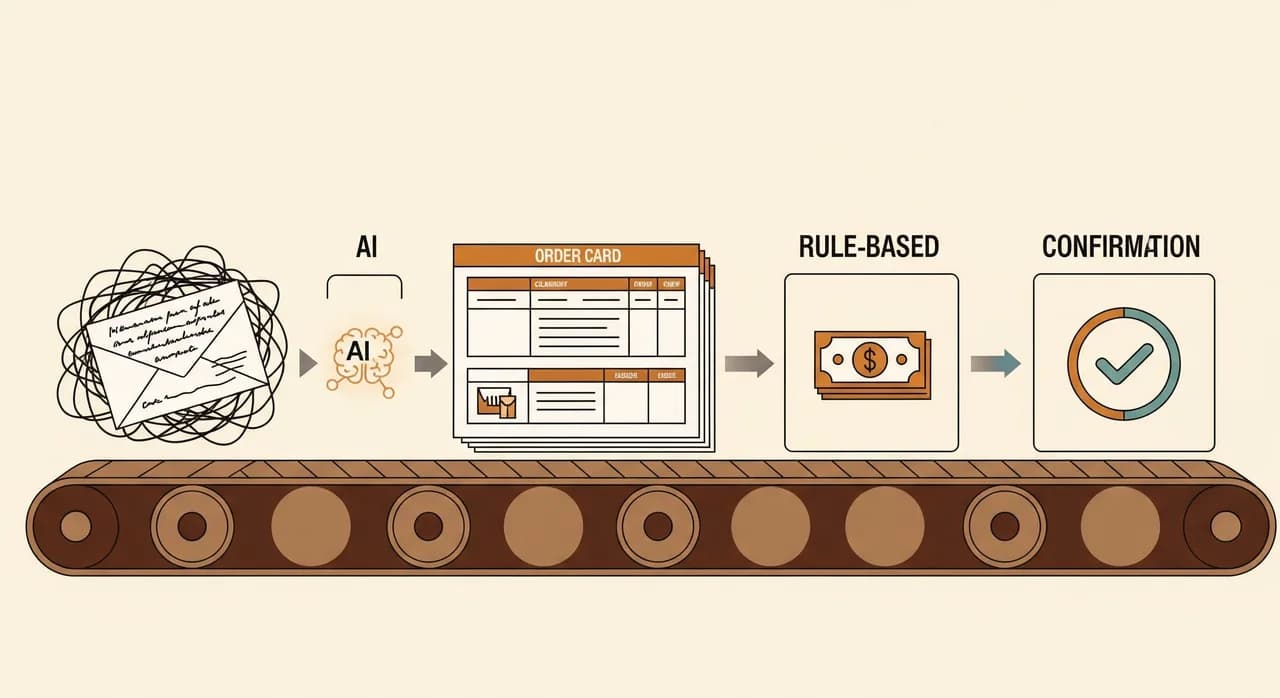
Her er delen som "RPA kontra AI"-rammen skjuler: i praksis velger du sjelden det ene og forkaster det andre. De sterkeste oppsettene kjeder dem sammen, og bransjen har til og med et navn for det — intelligent automatisering. AI håndterer den rotete, menneskelige enden; regler håndterer de forutsigbare trinnene som følger.
Ta et gjennomarbeidet eksempel. En kunde sender e-post: "Hei, kan jeg få to av de blå sendt til kontoradressen denne gangen?" En ren regelbasert robot står maktesløs — den setningen har ingen faste felter. Så AI leser den, regner ut produktet, antallet og adressen, og forvandler rotet til strukturerte data. Derfra overtar de kjedelige reglene: opprett ordren, oppdater lageret, generer fakturaen, send en bekreftelse. AI gjorde tenkingen; regler gjorde utførelsen. Ingen av dem kunne håndtert hele jobben alene, og du betalte bare for intelligens på det ene trinnet som trengte det.
“Du velger ikke RPA eller AI. Du lar AI lese rotet, og lar vanlige regler gjøre alt det forutsigbare som kommer etter.”
Dette er også den billigste måten å få fordelene med AI uten kostnadene med AI overalt. Du avgrenser den dyre, sannsynlighetsbaserte delen til det ene trinnet som reelt trenger forståelse, og lar pålitelige, billige regler bære resten av arbeidsflyten. Det holder regningen nede og systemet forutsigbart der forutsigbarhet betyr mest.
Feilene som sløser bort mest penger
Det meste av budsjettet jeg har sett brent på automatisering gikk opp i røyk av en liten håndfull unngåelige grunner. Ingen av dem handler om at teknologien er dårlig. De handler om å rette den mot feil mål.
Det finnes en mer stillferdig feil også: å automatisere en prosess som er ødelagt på papiret. Hvis ordreflyten din er et rot når et menneske gjør det, gir RPA deg bare et raskere rot, og AI automatiserer selvsikkert feil ting. Fiks prosessen først, automatiser så den fiksede versjonen. Hastighet anvendt på kaos gir deg bare kaos raskere.
Og husk at hver automatisering, RPA eller AI, er noe du nå må vedlikeholde. En leverandør endrer en skjerm og RPA-roboten din klikker på feil knapp; et grensetilfelle dukker opp og AI-en din trenger et nytt eksempel. Tre automatiseringer teamet ditt stoler på slår et dusin halvfungerende som ingen tør å lene seg på. Tilbakeholdenhet er en del av strategien, ikke en svikt i ambisjon.
Hvordan komme i gang uten å binde deg for mye
Du trenger ikke velge en storslått automatiseringsstrategi dette kvartalet. Du må drepe én bestemt, irriterende oppgave — og selve det å gjøre det vil lære deg, i reelle termer, hvilket verktøy som passer bedriften din. Velg oppgaven som sløser bort mest tid, kjør den gjennom hodetesten ovenfor, og velg det enkleste verktøyet som dekker den.
Behandle utrullingen som et lite, reverserbart eksperiment snarere enn en lansering. Kjør den nye automatiseringen parallelt med den gamle manuelle måten i en uke så du fanger grensetilfellene uten risiko. Gi den én navngitt eier som følger med på den og tar de tidlige humpene. Først når en uke går uten overraskelser, pensjonerer du den gamle måten — og så går du tilbake til listen din og velger den neste. Liten, ferdig, betrodd, gjenta. Gjør det et par ganger i året, og du har stille gitt deg selv tilsvarende et ekstra par hender, uten å satse bedriften på en plattform.
Usikker på hvilken oppgaven din trenger?
Dette er nettopp samtalen det er verdt å få riktig før du bruker noe. Vi ser på den faktiske oppgaven din sammen og sier ærlig om den trenger AI, vanlige regler eller en blanding — uten forpliktelse til å bygge noe.
Snakk det igjennom med ossVanlige spørsmål
Er RPA utdatert nå som AI finnes?
Hva er billigst, RPA eller AI-automatisering?
Trenger jeg en stor plattform for å komme i gang?
Kan RPA og AI jobbe sammen?
Hvordan vet jeg om oppgaven min trenger AI eller bare regler?

Have a nice day er et programvarestudio som hjelper små og mellomstore bedrifter med å bli digitale — automatisering, KI og skreddersydd programvare som fungerer i hverdagen, ikke bare på lysbilder.